


|
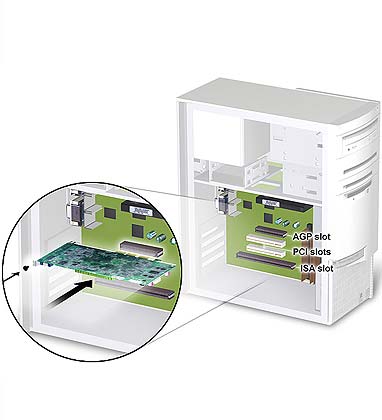
STEP THREE: Choose an expansion slot Plugging your graphics card into an incorrect slot could damage the card, your computer, or both. Do not try to force a card into a slot that does not accommodate it, as it is probably the wrong slot.
Most computers have a combination of AGP, PCI and ISA expansion slots. AGP slots are usually made from plastic of a contrasting brown color (beige color), and are shorter than other slots in your computer. PCI slots are usually white in color. Install your PCI card into the topmost open white slot. Your system manual should identify the AGP or PCI slots, as appropriate for your model.
|




