
NVIDIA AI Workbench
A single pane of glass to develop, customize, and prototype AI applications on your GPUs.
Overview
AI and ML on Your Terms and Your Machines
NVIDIA AI Workbench is a free development environment manager for data scientists and developers to create, customize, and collaborate on AI applications on GPU systems. Focus on execution and let AI Workbench manage your containers, environment, and configurations.
Demo
See NVIDIA AI Workbench in Action
Benefits
The Enterprise Developer’s AI Workbench
AI Workbench is built for AI and ML development, rapid prototyping, and providing speed and agility to get up and running with different SDKs, environments, and toolkits on whatever system you need to use.

Streamlined Setup
User-friendly install and configuration standardized across laptops, workstations, servers, and the cloud. Ready to use in minutes.

Run Projects Anywhere
Easily move workloads and applications across GPUs. Ensure consistency while optimizing for performance, costs, and scale.

Collaboration Made Easy
Develop locally or remotely with streamlined Git, container, and GPU management.

Manage Your Experience
Unified control plane to work across hybrid, decentralized environments. No service-based offering required.
Use Cases
How NVIDIA AI Workbench Is Being Used
See some examples of NVIDIA AI Workbench accelerating developer workflows in the real world.
-
AI Chatbot
-
Model Fine-Tuning
-
Custom Image Generation
AI Chatbot With RAG
Easily create, use, and distribute RAG-powered AI chatbots with AI Workbench. Check out:
- Hybrid-RAG for rapid prototyping: Run embedding locally and inference locally or in the cloud with NVIDIA NIM™ or an NVIDIA API.
- Agentic RAG for improved response quality: Use AI agents for dynamic information retrieval across documents and web search. Run inference in the cloud with NVIDIA NIM or an NVIDIA API.
- NIM-Anywhere to get started today: Implement native RAG and build your own AI-powered tools with NVIDIA NIM.

Fine-Tuning LLMs At Any Scale
Customize LLMs and tailor to specific domains. Choose from a variety of models, frameworks, and fine-tuning methods,and fine-tune with custom datasets to increase domain-specific knowledge.
Simplify environment setup and container configuration across local and remote deployments with AI Workbench.
Get started with AI Workbench example projects available on NVIDIA’s GitHub to customize Llama 3, Mistral, Phi 3, and more.

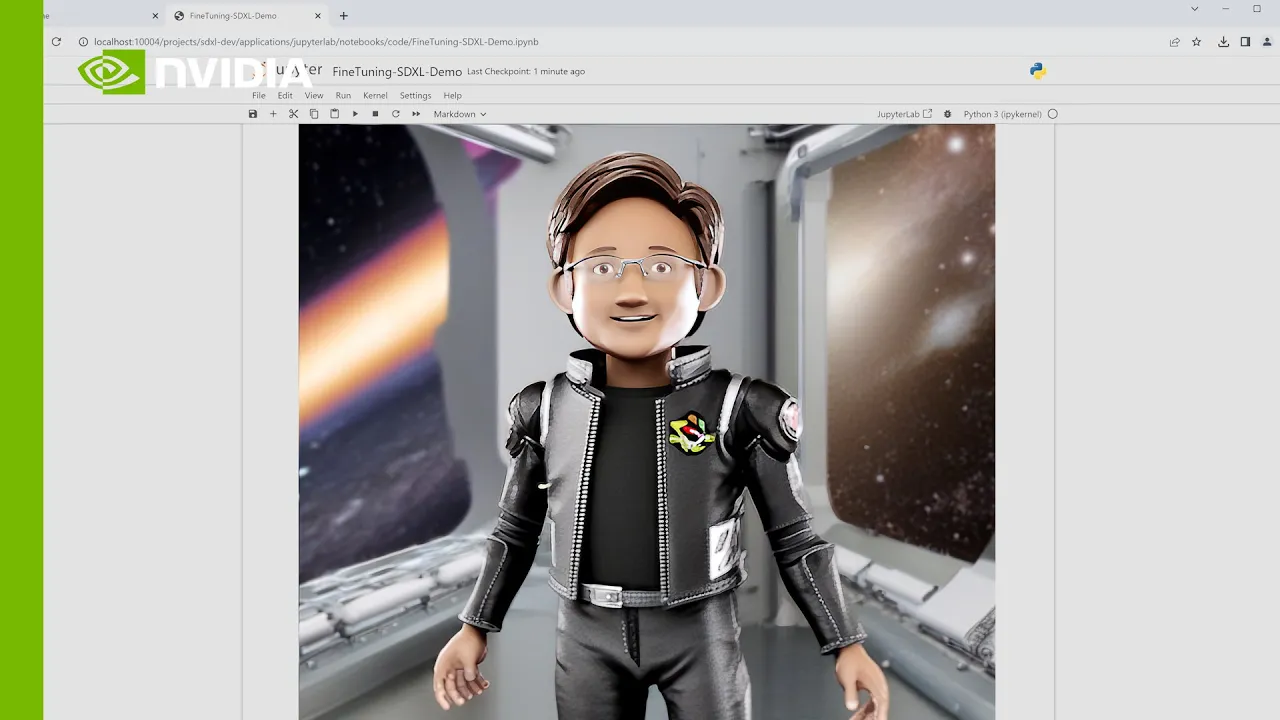
Custom Image Generation With Stable Diffusion XL (SDXL)
AI Workbench simplifies local deployment of Stable Diffusion XL models. It manages environment setup, model acquisition, and container configuration. AI Workbench also supports remote workstations for running Jupyter Notebooks and allows fine-tuning of models for specific subjects, enhancing image generation results.

Starting Options
Ways to Get Started With NVIDIA AI Workbench
Use the right tools and technologies to create, customize, and collaborate on AI applications across different GPU systems.
Download
Use AI Workbench for free. Support is available with an NVIDIA AI Enterprise license.
By downloading, installing, or using the NVIDIA AI Workbench software, you agree to the terms of the NVIDIA AI Enterprise End User License Agreement.
If you do not agree to the terms of the EULA, you are not authorized to download, install, or use the software.
Before downloading and using NVIDIA AI Workbench, please read our Shared Security Model.

Flexible Development From Local to Cloud
Cost-Effective Scalability
AI Workbench is a cost-effective solution for working with GPUs and AI models. Start on your local mobile or desktop workstation and scale out to cloud or data center when more compute is required. You can now optimize your development and computational work to fit the scale, costs, and availability you have to work with.
Resources
The Latest in NVIDIA AI Workbench Resources
-
Blogs
-
Sessions
-
Training
-
Videos


Get Started
For Developers
Explore everything you need to start developing with NVIDIA AI Workbench, including the latest documentation, tutorials, and more.
Join the Community
Have a question? Get answers from experts, share your experience, become a part of the conversation today.
Get in Touch
Talk to an NVIDIA product specialist about moving from pilot to production with the security, API stability, and support of NVIDIA AI Enterprise.