DLSS 5 Brings Lifelike Lighting and Detail to Where Winds Meet – Available Now.
DLSS 5 with 3D-Guided Neural Rendering uses AI to infuse game scenes with lifelike lighting and materials, tuned by developers.
Following the addition of DLSS 5 to NBA 2K27, Hogwarts Legacy and War Thunder, the game-changing technology is now available in Where Winds Meet, powered by a 2X faster AI model for GeForce RTX 50 Series, RTX Spark systems, and GeForce NOW.
DLSS 5 Available Now In Where Winds Meet
Where Winds Meet is a Wuxia open-world action-adventure RPG developed by Everstone Studio, offering a stunning open world, engaging action-adventure gameplay, deep RPG progression, and long-term free live-service updates for players. It has more than 100 million players worldwide and has reached a peak of over 250,000 concurrent players on Steam, currently holding a Steam rating of Very Positive (with over 116,000 reviews and climbing).
Where Winds Meet already included support for DLSS Multi Frame Generation and Super Resolution, and now it has added DLSS 5 with 3D-Guided Neural Rendering to its suite of technology, further enhancing its world and characters.
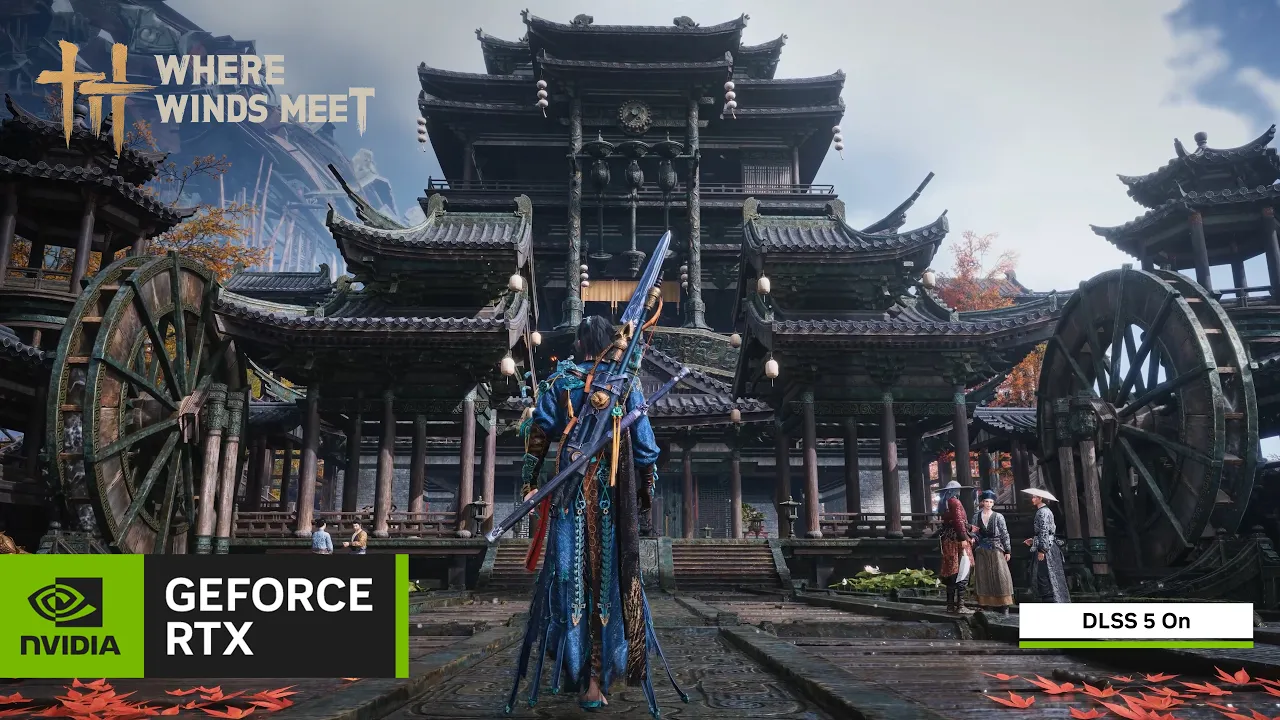
With DLSS 5, Everstone Studio has been able to achieve even higher visual realism with improved highlights, refined shadows, and a new level of microcontrast that further enhances fine detail. The result is a more natural, lifelike image, with finer detail and a stronger sense of realism.
“What attracts us to DLSS 5 is the room it gives us to explore lighting and materials further. It builds on the image already produced by the game engine, using neural rendering to enhance lighting and material details,” said Muzi Li, art director from Everstone Studio. “When sunlight falls on buildings, fabrics, and characters, the result feels like more than just a sharper image. DLSS 5 identifies and tones down overly bright highlights while bringing out more detail in those areas. It also fills in ambient-light details and subtle highlights in the shadows, and recognizes the properties of materials. This gives scenes a sense of realism that makes you feel as though you could step inside.” - Everstone Studio Team (Muzi Li, art director, and Cory Zhou, engine tech lead)
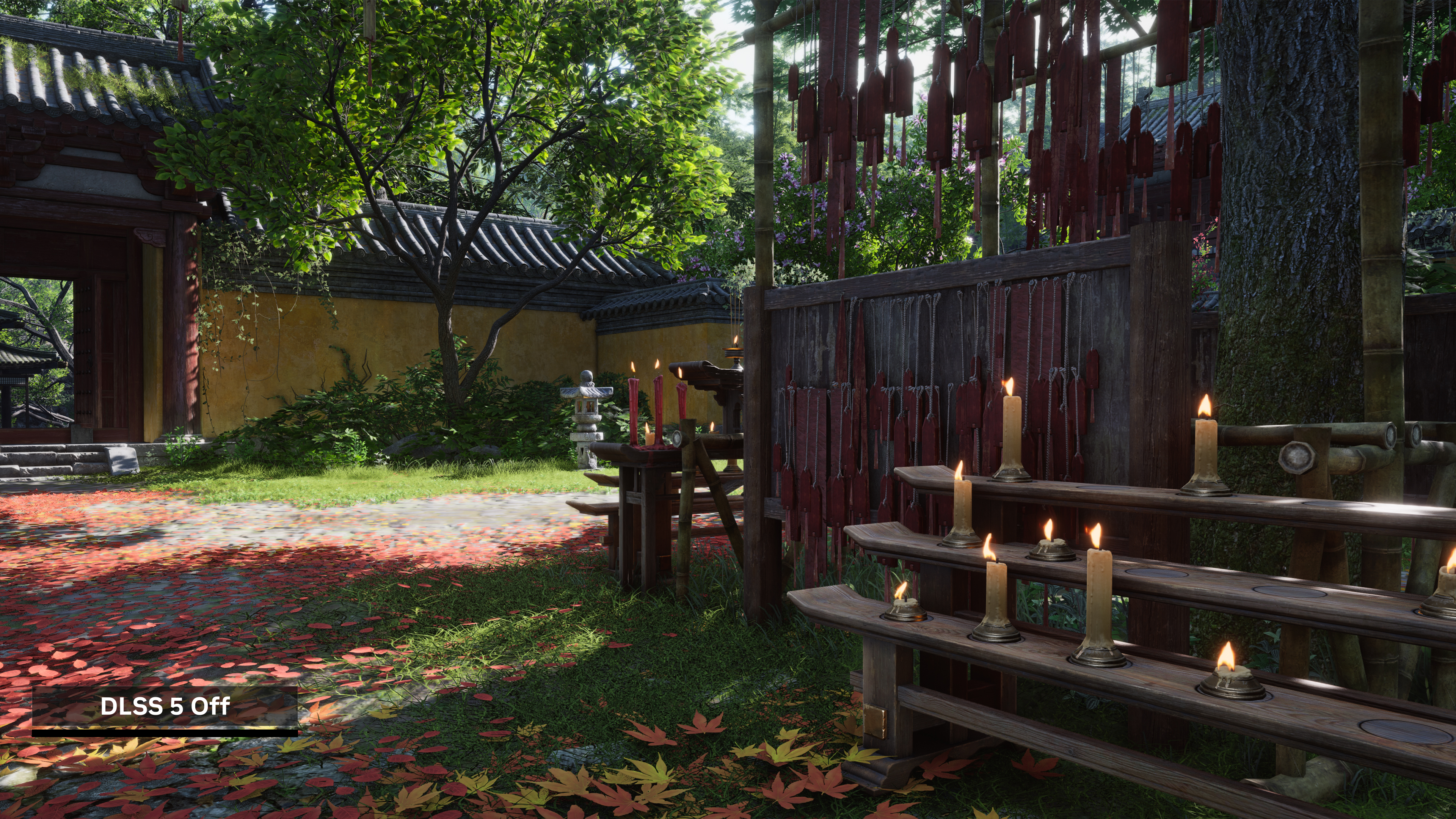
In the following scene from Where Winds Meet, DLSS 5 introduces significantly more realistic lighting and material properties across the entire environment. When enabled, candles exhibit accurate subsurface scattering; the light from the flames realistically penetrates the wax, giving it a warm, translucent luminance rather than rendering it as a solid, opaque object. Similarly, the foliage and grass benefit from improved light interaction, making the vegetation look much more natural. On the left, the lighting on the shingled roof and yellow wall offers more realistic lighting, highlighting the depth and texture of the materials. Overall, the scene is grounded with improved ambient occlusion and global illumination.

Click here to load a fullscreen 4K comparison
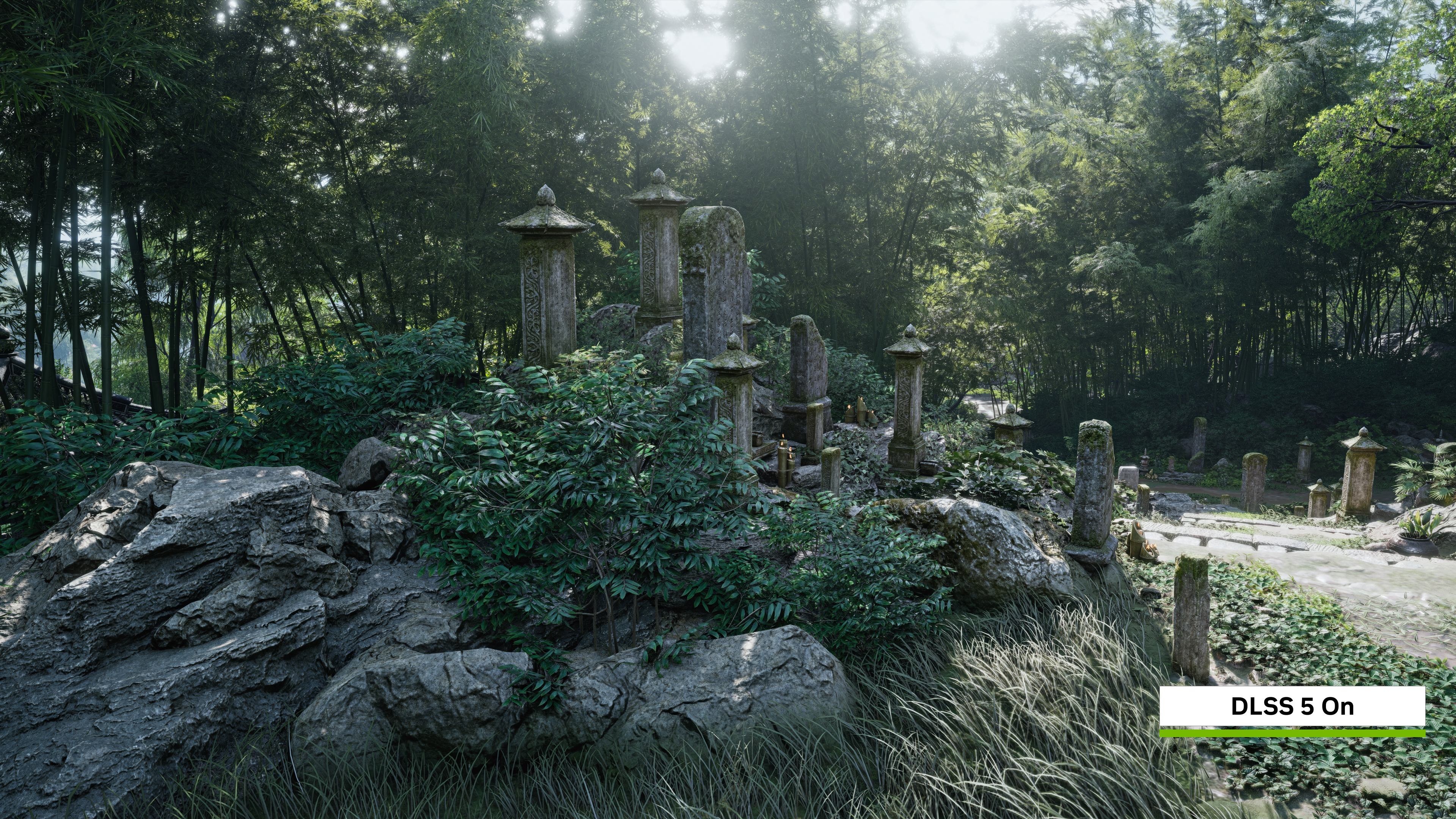
In this Where Winds Meet scene, DLSS 5 adds subsurface scattering across vegetation. Sunlight realistically filters through the translucent leaves of the bushes and surrounding bamboo trees, adding a warm green glow. There’s improved localized lighting and better material definition on the aged stone monuments and rocks.
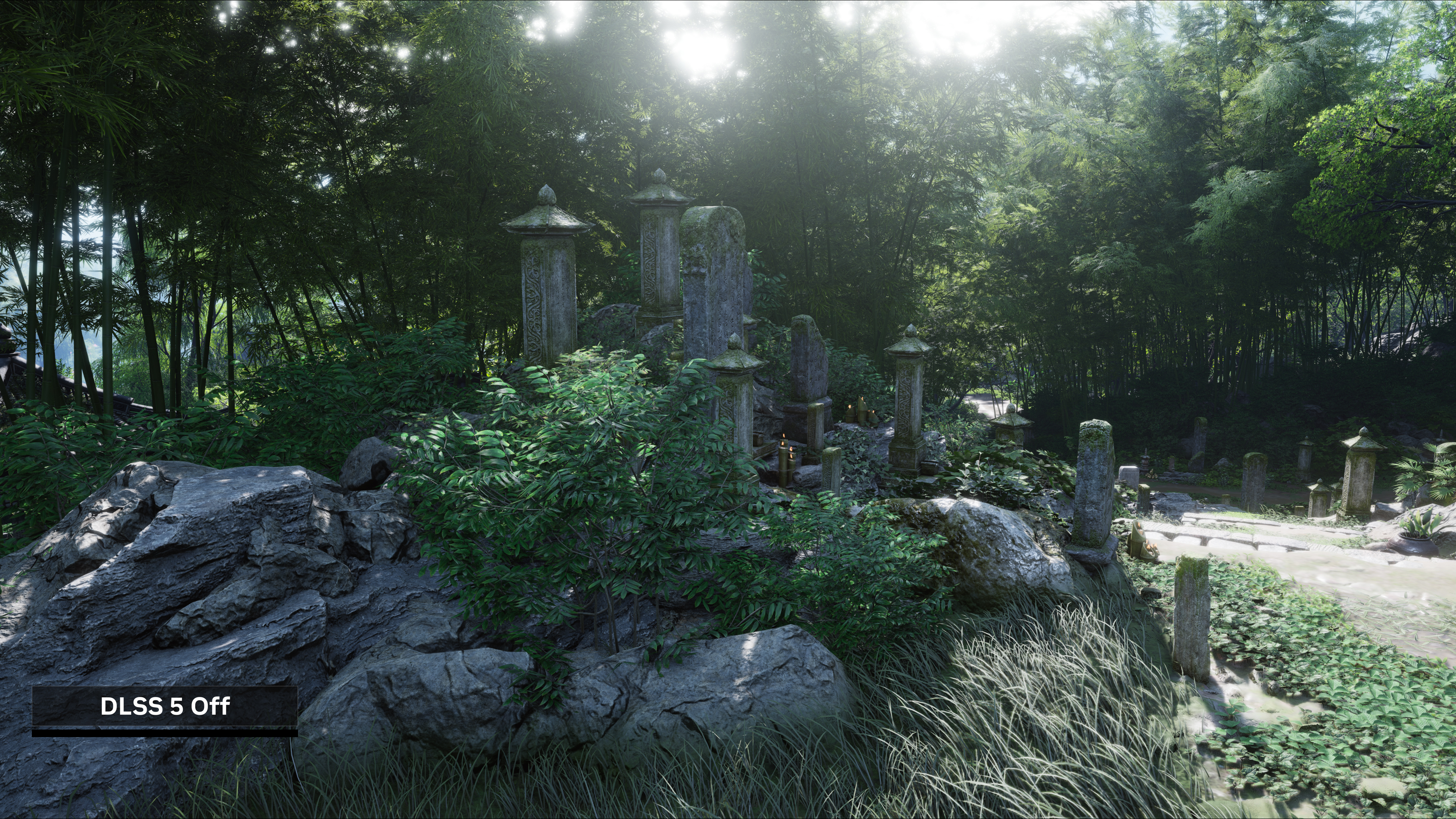
Click here to load a fullscreen 4K comparison
Gamers can play Where Winds Meet with DLSS 3D-Guided Neural Rendering at high frame rates thanks to the acceleration delivered by DLSS Super Resolution and Multi Frame Generation.
At 4K, Where Winds Meet runs at up to 430 frames per second with Ultra settings, with DLSS 3D-Guided Neural Rendering, Super Resolution Performance Mode, and 6X Multi Frame Generation:

At 2560x1440, GeForce RTX Series gamers can experience Where Winds Meet at its very best, with Ultra settings and DLSS 5 at up to 570 frames per second:
And at 1920x1080, GeForce RTX 50 Series gamers can experience Where Winds Meet with DLSS 5 at up to 700 frames per second:
On GeForce RTX 5090 Laptop GPUs, DLSS Super Resolution, 6X Multi Frame Generation, and other RTX enhancements enable on-the-go, DLSS 5-enhanced, High preset, 2560x1440 Where Winds Meet gameplay at up to 320 frames per second:
And at 1920x1080, GeForce RTX 50 Series Laptop GPUs can run Where Winds Meet with DLSS 5 at up to 430 frames per second:
DLSS 5 Explained
DLSS evolves beyond performance to transform visual fidelity as well. DLSS 5 introduces 3D-Guided Neural Rendering, which uses AI to generate rich lighting and material details for developers to better realize their original artistic vision.
3D-Guided Neural Rendering uses the game engine’s rendered frame, complete with its artist-designed geometry, textures and lighting buffers as an unyielding foundation. DLSS 5 becomes the final rendering stage of the graphics pipeline, infusing scenes with lifelike lighting and materials while ensuring the engine frame defines what must remain, and the artist directs what may change.
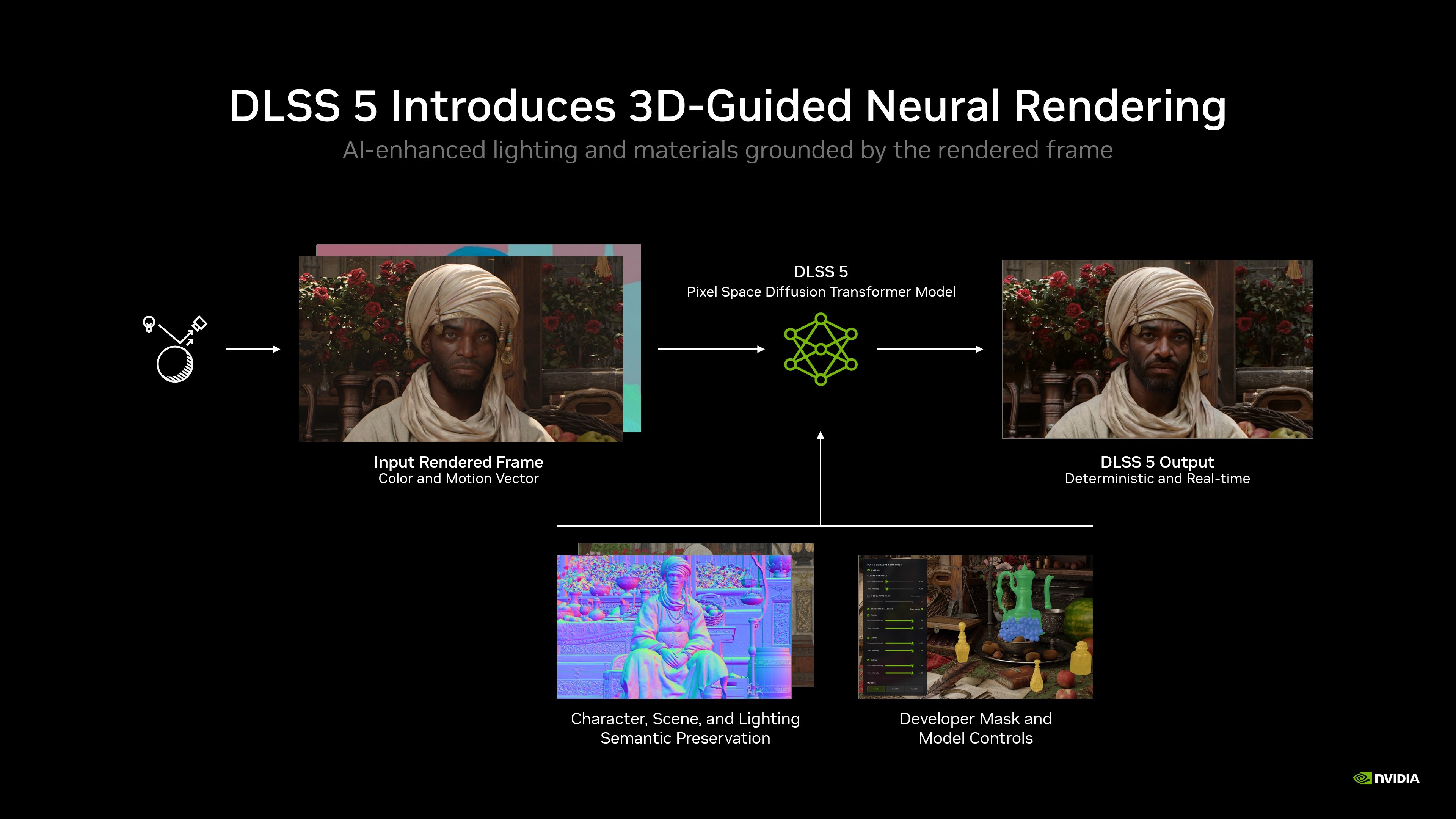
DLSS 5 takes a frame’s color and motion vectors as input to deliver lifelike lighting and materials that are deterministic, temporally stable and anchored to the game’s content
Making an image more realistic is ultimately a creative decision, which is why DLSS 5 puts art-direction tools directly into the hands of developers. DLSS 5 empowers teams to add photoreal detail that their compute and VRAM budgets would never let them model and render explicitly. It also adds different models and controls to let them art-direct how and where it is applied. For gamers, it is a simple on or off toggle.

In this example with the ramen chef, the underlying facial proportions and geometry remain exactly as the artists designed them. When enabled, DLSS 5 enhances light responses and material detail. Ambient occlusion adds defined depth around his headband, while light transmits naturally through his ears via enhanced subsurface scattering. These subtle additions elevate the character and scene without altering his core identity.


Click here to load a fullscreen 4K comparison
Through the DLSS 5 SDK, developers have several models to choose from, with different parameter weights that produce different outputs, allowing them to pick the model that works best for their game.
This model choice can be applied to the entire game, or they can mix-and-match the models in different scenes. For example, artists can select one model for dense outdoor foliage, and another model for dramatic indoor scenes. They can also mix-and-match different models for gameplay and cutscenes, whichever fits their artistic vision.
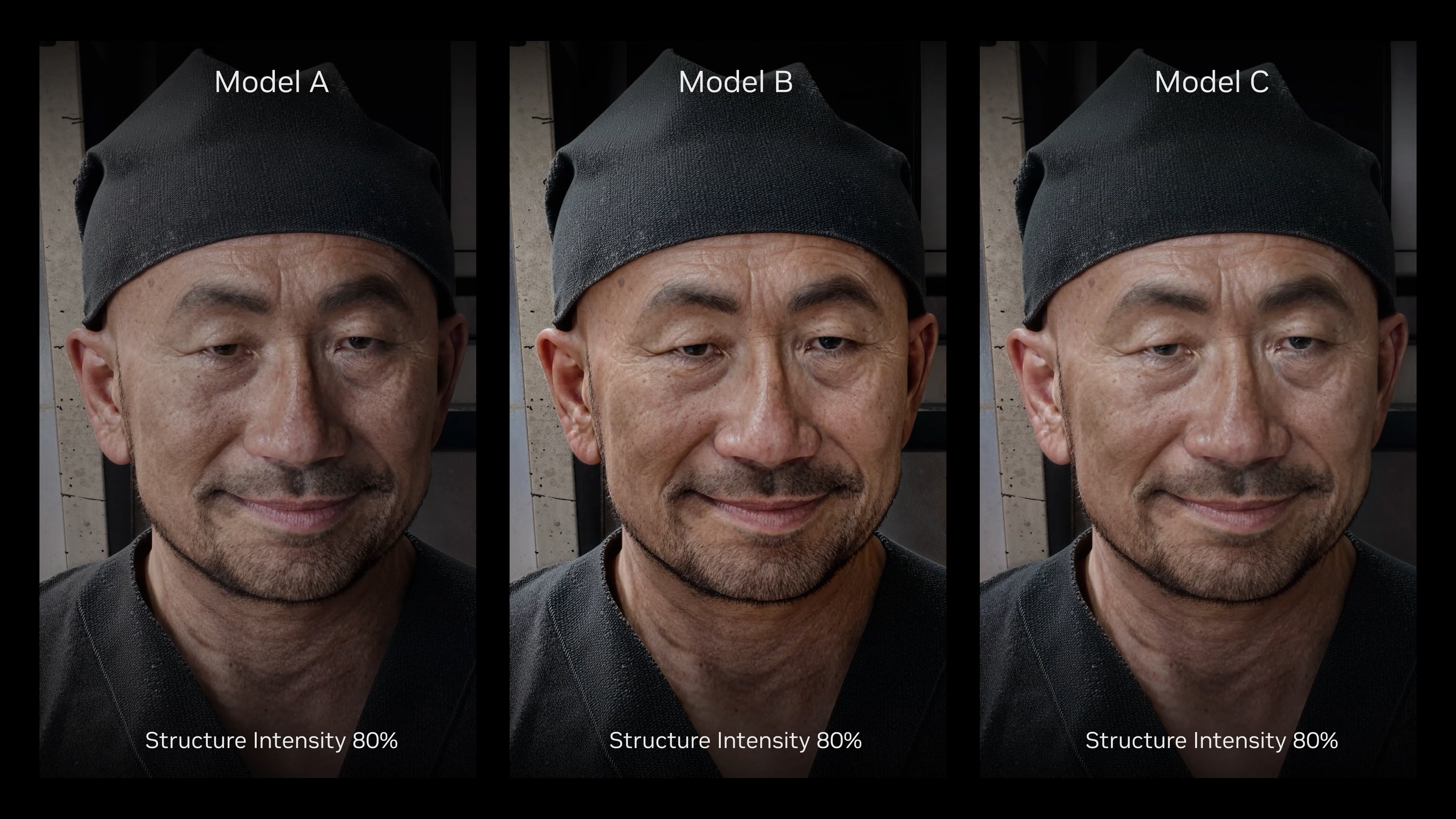
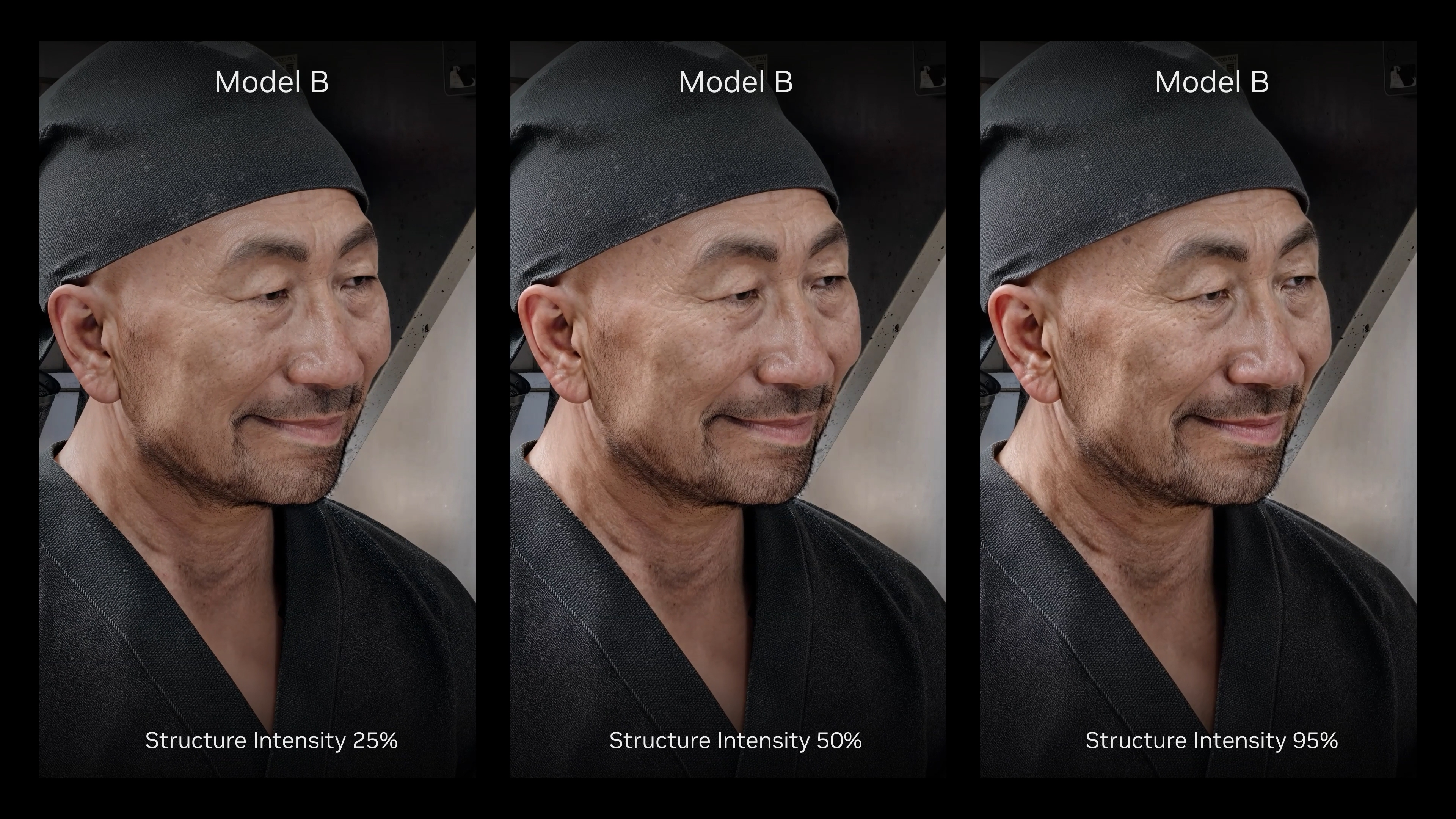
DLSS 5 also offers Structure Intensity and Tone Intensity adjustments. Structure Intensity controls high-frequency details such as ambient occlusion, reflections, and subsurface scattering. This control enables developers to have a big lever to increase realism in their games.
With Tone Intensity, developers can control the low-frequency details such as broader lighting and color response. This allows the developer to decide to show the exact colors from the rendered frame by setting this value to zero, or increase the setting to make tonal adjustments based on the scene. Together, they let the artists decide how much enhancement is applied to the output.
To ensure enhancements are applied only where intended, DLSS 5 features semantic AI masking that recognizes scene objects automatically, allowing developers to boost the environmental uplift while holding back on characters, or vice versa.
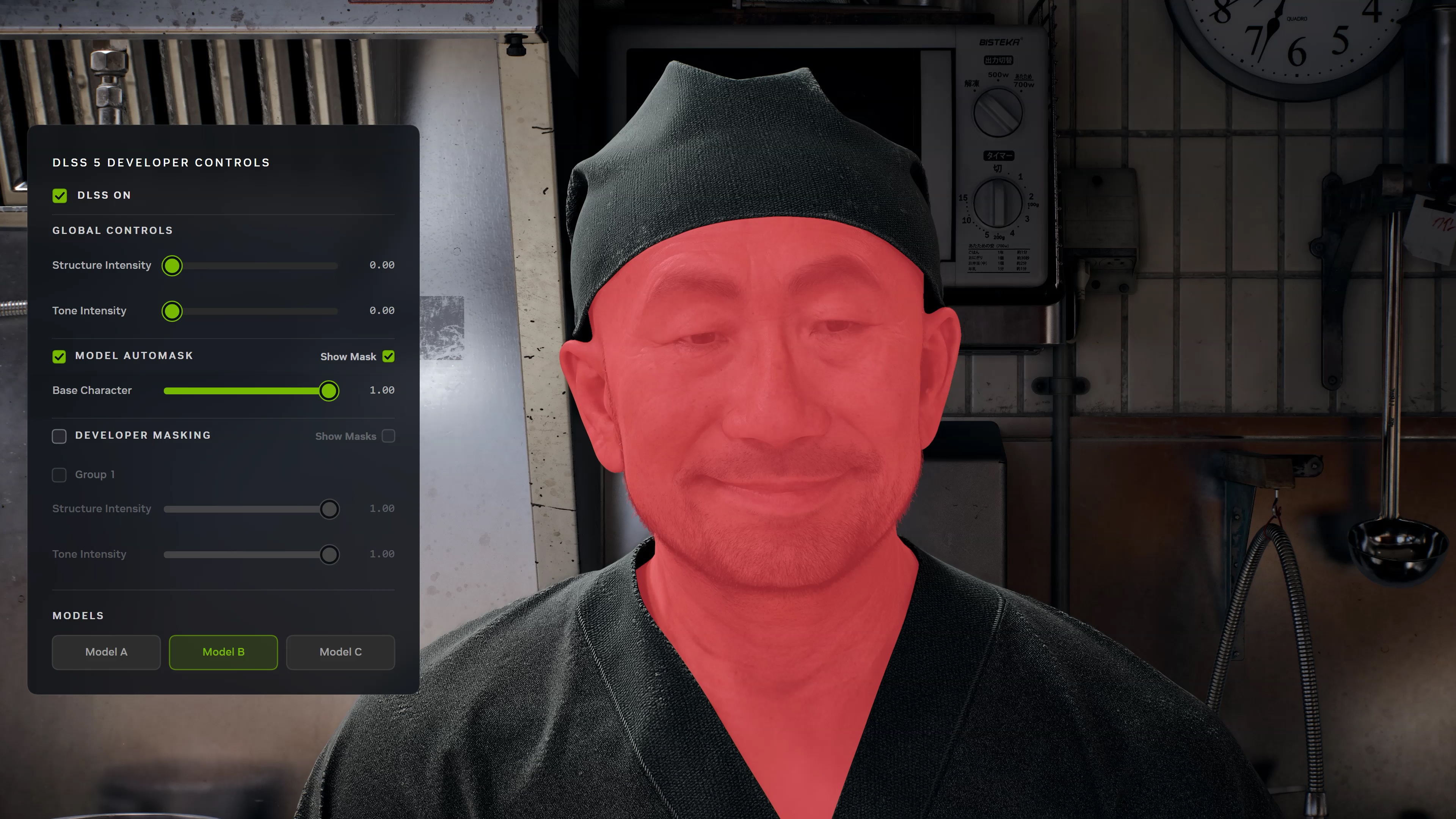
Furthermore, engine-level masking allows artists to isolate specific props or asset groups, such as glassware, water droplets, or foliage, and apply custom neural lighting tweaks to specific elements of a game without altering surrounding elements.

As we work in close partnership with studios, developer feedback continues to directly shape how we refine the technology and expand our suite of models and controls.
DLSS 5 Evolution Continues
Since the initial announcement of DLSS 5 in March, our progress has been rapid: from running on dual GeForce RTX 5090s to now a single graphics card, we’ve achieved a 10X performance gain in just seven months, making DLSS 5 available for all GeForce RTX 50 Series GPUs, RTX Spark devices, and streaming for GeForce NOW Ultimate members. This milestone stems from a combination of systematic pipeline optimizations, and neural model refinements that yield both faster execution and better image quality.
Hogwarts Legacy, Where Winds Meet and Where Winds Meet all feature our October 2026 Neural Rendering model, which shrank DLSS 5’s footprint by 24% to roughly 118 million parameters, while reducing 4K VRAM usage by 20%, increasing performance by 2X compared to the previous version, giving you an even better experience.
Head Back Soon For Even More RTX Games
There are even more DLSS integrations arriving soon. Return regularly for a rundown of the next DLSS and RTX titles to GeForce RTX and RTX Spark systems, and head here to see the full list of over 1,000 RTX-enhanced games and apps, along with a list of all games and apps with verified support for NVIDIA app’s DLSS overrides.