Version 2.2.0

NVIDIA Broadcast App
The NVIDIA Broadcast app transforms any room into a home studio. Take your livestreams, voice chats, and video conference calls to the next level with AI-enhanced voice and video.
The NVIDIA Broadcast app transforms any room into a home studio. Take your livestreams, voice chats, and video conference calls to the next level with AI-enhanced voice and video.
Get a taste of what the Broadcast app can do for you using the incredible performance of NVIDIA RTX™ GPUs.
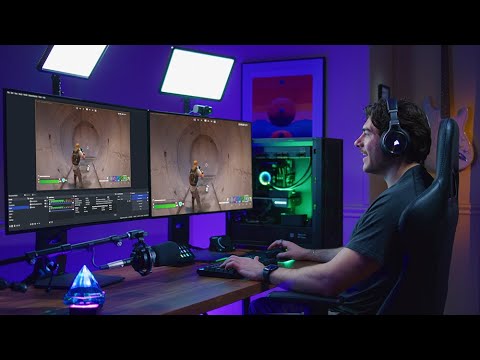

Upgrade your mic with AI to deliver premium audio quality. With Studio Voice, you can sound your best and turn your room into a professional studio.
Loud keyboard typing. Annoying microphone static. Bothersome PC fans. Nagging background reverb. Noise Removal and Room Echo Removal use AI to eliminate unwanted background noise at the touch of a button.
Go live or attend a meeting remotely without worrying about finding a quiet place. NVIDIA Broadcast makes it fast and easy.

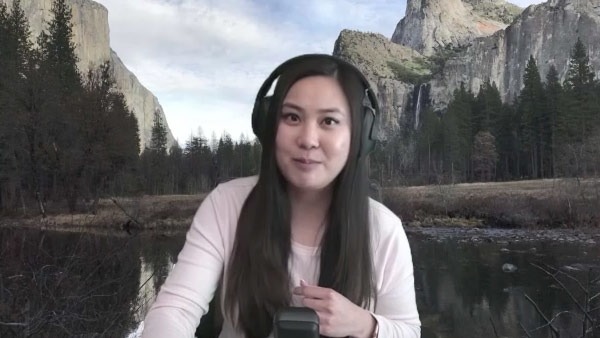
Experience instant creative control at your fingertips. Background Removal, Replacement, and Blur let you customize your background without expensive equipment or complex lighting setups. Personalize your webcam feed using powerful AI greenscreen effects perfect for work and play, wherever you are. The possibilities are endless.
Virtual Key Light helps you stay camera-ready with automatic face relighting that reduces shadows and keeps you evenly lit during your livestreams.
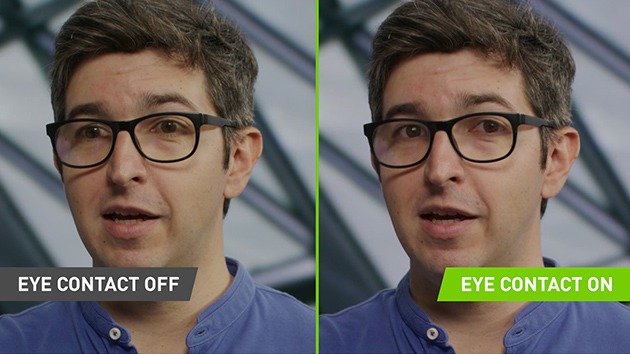
Keep your eyes on the prize. Eye Contact uses AI to make it look like you’re looking directly at the camera, even when glancing to the side or taking notes.
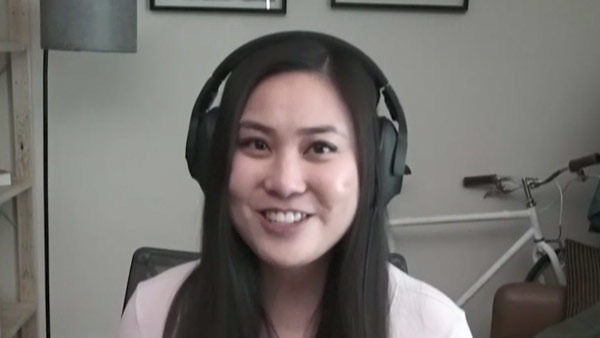
Upgrade the quality of your webcam instantly with AI-driven 4k upscaling and 60fps frame generation.
NVIDIA Broadcast can now process your files offline, so you can make sure you look and sound your best before you upload.
Control NVIDIA Broadcast with your favorite agent, from toggling settings to processing files.

Lights, camera, app-tion. Dynamically track your movements in real time with Auto Frame, automatically cropping and zooming so you remain the star of the show—even as you move around.
NVIDIA Broadcast works with all of your favorite apps. And setting up is easy.

2
Choose your device and effects.
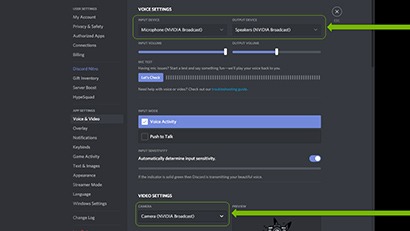
3
Select NVIDIA Broadcast as your in-app device.
| Information | |
|---|---|
| Platform | Windows 10 64-bit, Windows 11 64-bit, Windows 11 on Arm |
| Version | 2.3.0 |
| System Requirements | |
|---|---|
| GPU | NVIDIA GeForce RTX™ 2060, Quadro RTX™ 3000, TITAN RTX™, RTX Spark, or higher |
| RAM | 8 GB RAM or higher |
| CPU | Recommended: Intel Core i5 8600, AMD Ryzen 5 2600 or higher |
| Driver | Windows: NVIDIA Studio Driver 572.61, Game Ready Driver 572.61, NVIDIA RTX Enterprise Driver 572.61, and above. Windows on Arm: NVIDIA Studio Driver 617.42, Game Ready Driver 617.42, NVIDIA RTX Enterprise Driver 617.42, and above. |
| Internet | Internet connectivity during installation |
Are you a developer interested in integrating NVIDIA Broadcast features directly into your application?
NVIDIA Broadcast is compatible with the latest GeForce and Quadro RTX graphics cards and laptops.