DLSS 4.5 Dynamic Multi Frame Generation & Multi Frame Generation 6X Available Now
Since its debut in January 2025, DLSS 4 set the standard for AI rendering with transformer-based Super Resolution and 4X Multi Frame Generation.
In January at CES 2026, we introduced NVIDIA DLSS 4.5 Super Resolution, further enhancing image quality on all GeForce RTX GPUs with a 2nd generation transformer AI model. And for GeForce RTX 50 Series GPUs, we announced the upcoming launch of DLSS 4.5 Dynamic Multi Frame Generation, with up to 6X Multi Frame Generation.
Now, you can enhance your games and apps with the complete set of DLSS 4.5 features thanks to the launch of a new NVIDIA app beta update.

Install the update by ticking the “beta and experimental features” box in Settings > About, inside the NVIDIA app. But please note, GeForce Game Ready Driver 595.79 WHQL, or newer, is required to use all features.
Additionally, there are new updates for ARC Raiders and Marvel Rivals, which you can enhance with DLSS 4.5 Super Resolution. Read on for all of the details.
NVIDIA DLSS 4.5 Dynamic Multi Frame Generation: Maximizes FPS To Monitor Refresh Rate For Optimum Performance
DLSS 4.5 introduces Dynamic Multi Frame Generation, an intelligent system that functions like an automatic transmission for your GPU. Instead of sticking to a fixed multiplier, it automatically shifts between different frame multipliers to strike the perfect balance between frame rate, image quality and responsiveness.
In other words, it only generates the frames needed to maximize your target frame rate, or the refresh rate of your display, be that 120Hz, 144Hz, 240Hz, or higher.

By continuously monitoring the gap between your GPU’s performance and your display’s maximum refresh rate, the system adapts in real-time. In graphically intense scenarios, it ‘upshifts’ and increases frame generation to bridge performance dips, ensuring your high-refresh display remains buttery smooth. Conversely, as the workload lightens, it seamlessly shifts the multiplier down to only compute what’s needed.
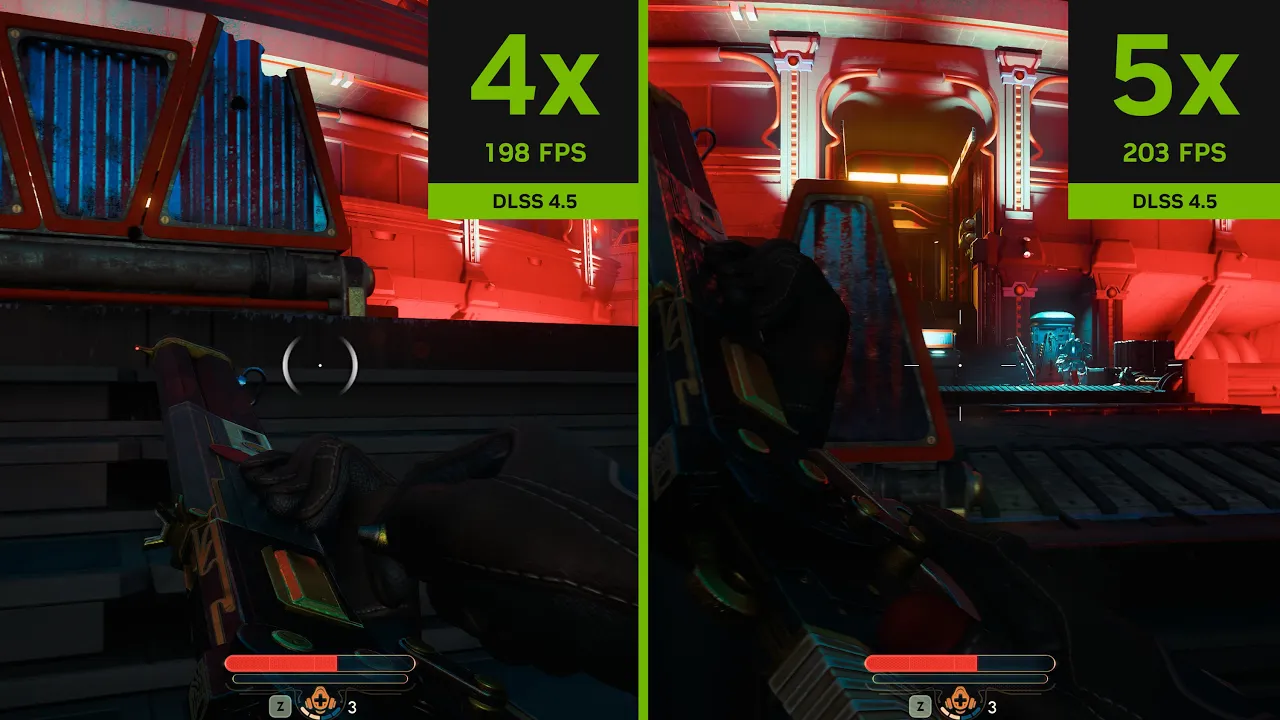
DLSS 4.5 Dynamic Multi Frame Generation maximizes frame rates on a 240Hz display
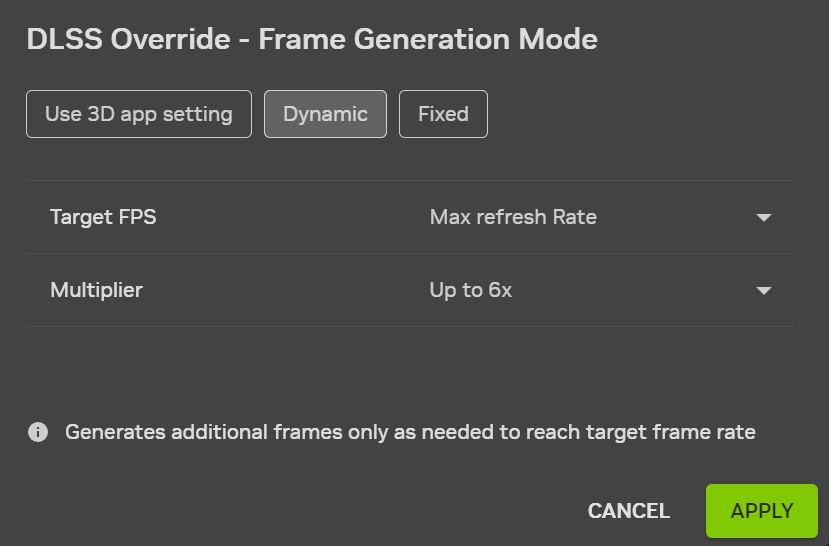
DLSS 4.5 Dynamic Multi Frame Generation can be activated and configured globally, or on a per game basis in the NVIDIA app’s Graphics tab.
Open “DLSS Override - Frame Generation Mode”, select “Dynamic”, and choose “Max refresh rate” for the NVIDIA app to synchronize your maximum frame rate with the maximum refresh rate of your display, for optimum motion clarity. Alternatively, pick “Custom” and type in a maximum frame rate for DLSS 4.5 Dynamic Multi Frame Generation to target.
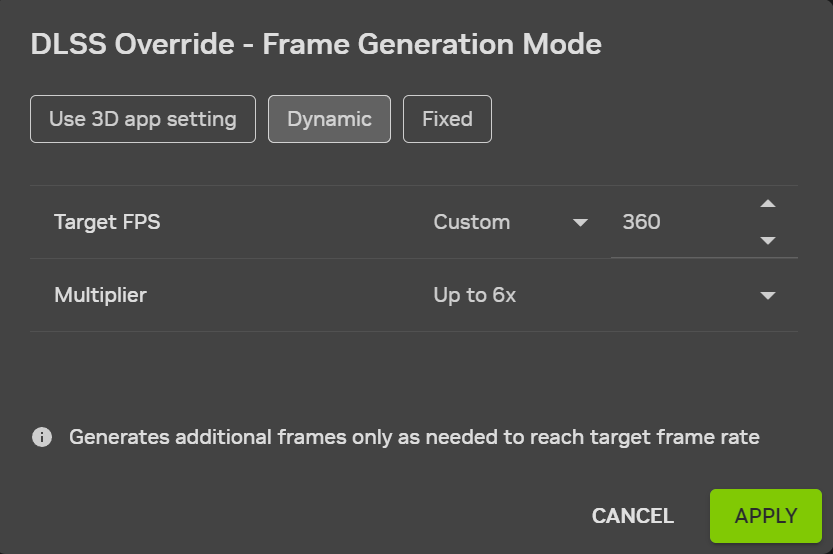
In all titles compatible with DLSS Dynamic Multi Frame Generation, users can activate up to 6X Multi Frame Generation. To see the full list of 6X-compatible titles, please head here
Game developers are natively adding DLSS 4.5 Dynamic Multi Frame Generation and other DLSS 4.5 features to their games, 20 of which we announced at GDC. Head on over to our DLSS 4.5 games article to learn more and to watch DLSS 4.5 game trailers.
NVIDIA DLSS 4.5 With Multi Frame Generation: Maximize Smoothness With New 6X Mode
DLSS Frame Generation introduced a 2X multiplier, rendering 1 additional frame per traditionally rendered frame. Then, DLSS 4 Multi Frame Generation leveraged the capabilities of GeForce RTX 50 Series GPUs to increase the maximum multiplier to 4X.
Now, our 2nd generation transformer model, along with improvements to frame pacing and image quality, enable us to raise the maximum multiplier to 6X, generating five additional frames for every natively rendered frame on GeForce RTX 50 Series GPUs.

NVIDIA DLSS 4.5 Multi Frame Generation 6X Mode - Made possible by DLSS Super Resolution and DLSS Frame Generation improvements
On GeForce RTX 50 Series GPUs, the shift from 4X to 6X Multi Frame Generation increases 4K frame rates in path-traced titles by up to 35%. And by combining our new, highly efficient Frame Generation model with NVIDIA Reflex’s low latency technology, DLSS 4.5 Multi Frame Generation can generate these additional frames with minimal impact to responsiveness:
This combination of new and enhanced features creates the smoothest path-traced gaming yet, unlocking the full potential of 4K 240Hz OLED gaming displays. And for users on super high refresh rate 1080p and 1440p displays, and those with G-SYNC Pulsar, Dynamic Multi Frame Generation 6X Mode can enable you to use their full capabilities, for an enhanced experience.
With the introduction of DLSS 4.5 Dynamic Multi Frame Generation, NVIDIA app users must now choose between Dynamic and Fixed Multi Frame Generation.
“Fixed” mode operates identically to previously-available Multi Frame Generation options in the NVIDIA app, running at the Frame Generation multiplier you select.
Open “DLSS Override - Frame Generation Mode”, either globally or on a per game basis, select “Fixed”, and choose a Frame Generation multiplier.

To only use a 2X multiplier, select “Use 3D app setting”, then activate DLSS Frame Generation in-game
In all titles compatible with DLSS Multi Frame Generation, users can activate 4X Multi Frame Generation, and in select titles using more recent Frame Generation .dlls, users can select up to 6X. To see the full list of 6X-compatible titles, please head here.
NVIDIA DLSS 4.5 Enhanced Frame Generation Model
DLSS 4.5 also introduces a new DLSS Frame Generation model that enhances in-game user interfaces in select titles, by incorporating additional game engine data.
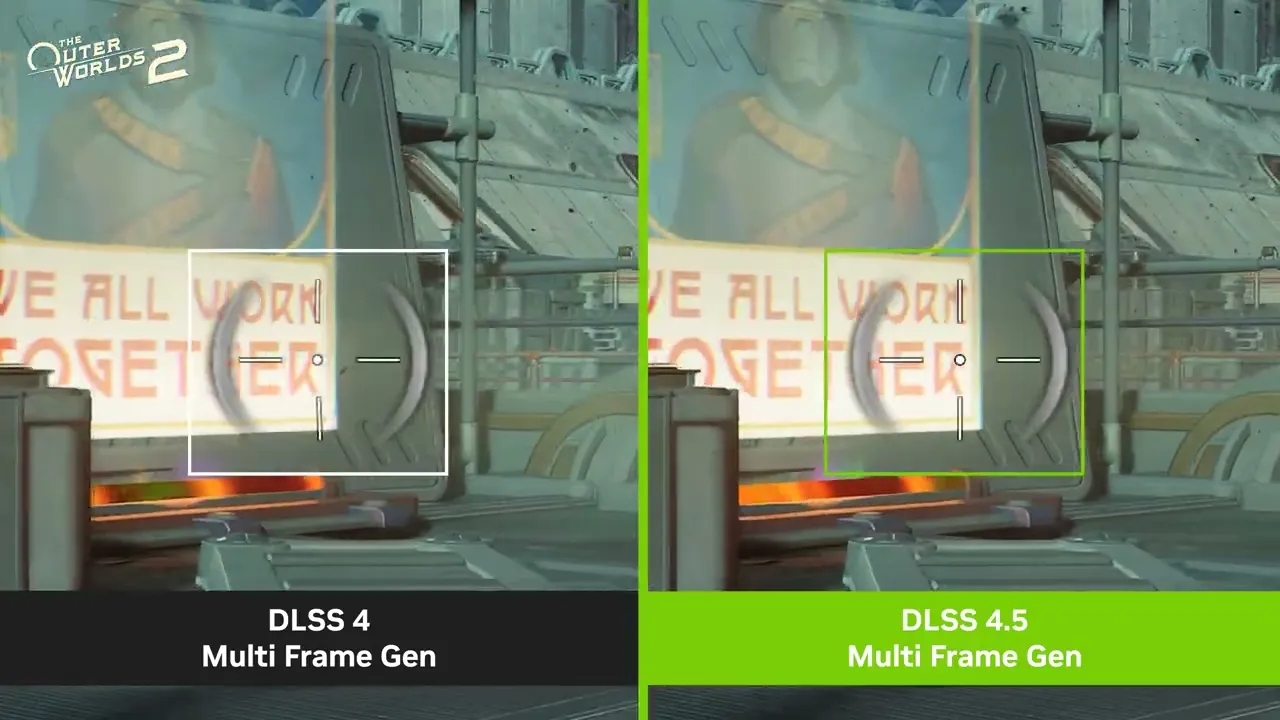
The Outer Worlds 2: Improved user interface elements with the new DLSS 4.5 Multi Frame Generation Model
Available for GeForce RTX 40 Series and 50 Series users, the new model improves the quality and clarity of mini maps, on-screen user interface elements, and other aspects of game interfaces.
The new model takes additional UI buffers available for selected game engines allowing it to more intelligently manage the rendering of static user interfaces when DLSS Dynamic Multi Frame Generation, DLSS Multi Frame Generation, or DLSS Frame Generation are activated. As of March 31st, 2026, some supported games include Battlefield 6, Borderlands 4, Dragon Age: The Veilguard, EA SPORTS F1® 25, God of War Ragnarök, Hogwarts Legacy, Indiana Jones and the Great Circle™, Marvel’s Spider-Man 2, Monster Hunter Wilds, Star Wars Outlaws™, The Elder Scrolls IV: Oblivion Remastered, and The Outer Worlds 2.
To activate the new model in a supported game, open “DLSS Override - Model Presets”, either globally or on a per game basis, click the “Frame Generation” dropdown, and select “Preset B”.

NVIDIA DLSS 4.5 Super Resolution: Superior Image Quality For All GeForce RTX Gamers
Building on eight years of research, including six years refining Convolutional Neural Networks (CNNs), DLSS 4.5 Super Resolution is our second generation transformer AI model. Utilizing five times the compute power of the original transformer model, having been trained on a significantly expanded, high-fidelity dataset, the model has a deeper understanding in every scene, and more intelligently uses game engine pixel sampling and motion data to deliver images that have better lighting, finer edges, and improved motion clarity.

DLSS 4.5 Super Resolution: Forged by 8 years of continuous innovation
DLSS 4.5 achieves a breakthrough in lighting effects by solving a traditional challenge faced by Temporal Anti-Aliasing (TAA), and earlier super resolution models. Previous techniques operated in logarithmic space to dampen flickering, which unfortunately resulted in muted lighting, clipped details, and crushed shadows in high-contrast scenes. In comparison, DLSS 4.5 Super Resolution trains and infers directly in linear space, the game engine’s native ground truth. Because the new AI model is powerful enough to manage instability without compressing the data, it accumulates lighting with physical accuracy, allowing glowing neon signs and bright reflections to retain their full color range and detail.
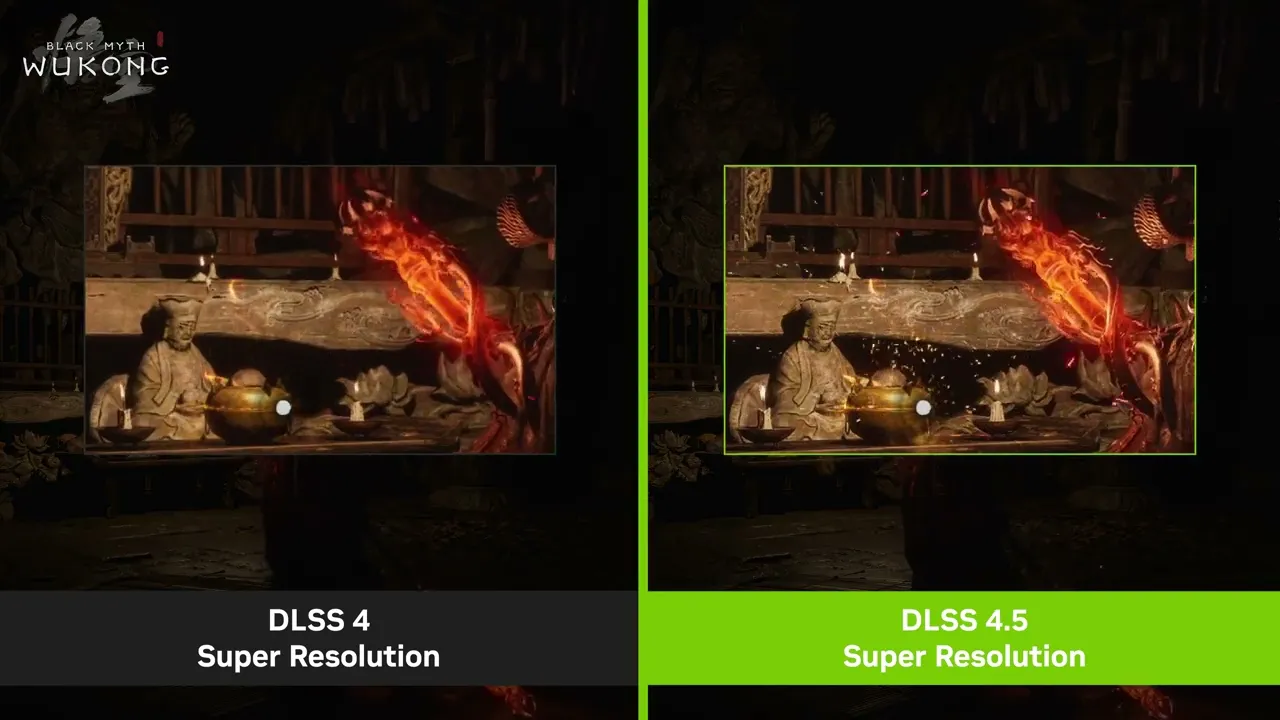
DLSS 4 vs. DLSS 4.5 Super Resolution in Black Myth: Wukong
DLSS 4.5 Super Resolution takes full advantage of GeForce RTX 40 and 50 Series GPUs, which benefit from faster, more advanced Tensor Cores in our latest architectures. By leveraging FP8 precision capabilities, the hardware doubles inference throughput, allowing the 2nd generation transformer to run with a minor performance tradeoff compared to the first.
While DLSS 4.5 Super Resolution enhances image quality across all settings, including Quality and Balanced modes, the transformation is greatest in Performance and Ultra Performance modes, where fewer rendered pixels are available.
By leveraging the power of the 2nd generation transformer, Performance Mode is now comparable to, and can even beat, native image quality, while Ultra Performance has evolved into a truly viable mode for 4K gaming. Overall, DLSS 4.5 delivers a significant leap in image quality across the board, resulting in sharper anti-aliasing, reduced ghosting, and enhanced temporal stability.
In this example from The Elder Scrolls IV: Oblivion Remastered, the original transformer model for DLSS 4 Super Resolution exhibited ghosting in fast motion, in certain challenging areas. With DLSS 4.5 Super Resolution, fast-moving objects remain clearer, with drastically fewer trailing artifacts.
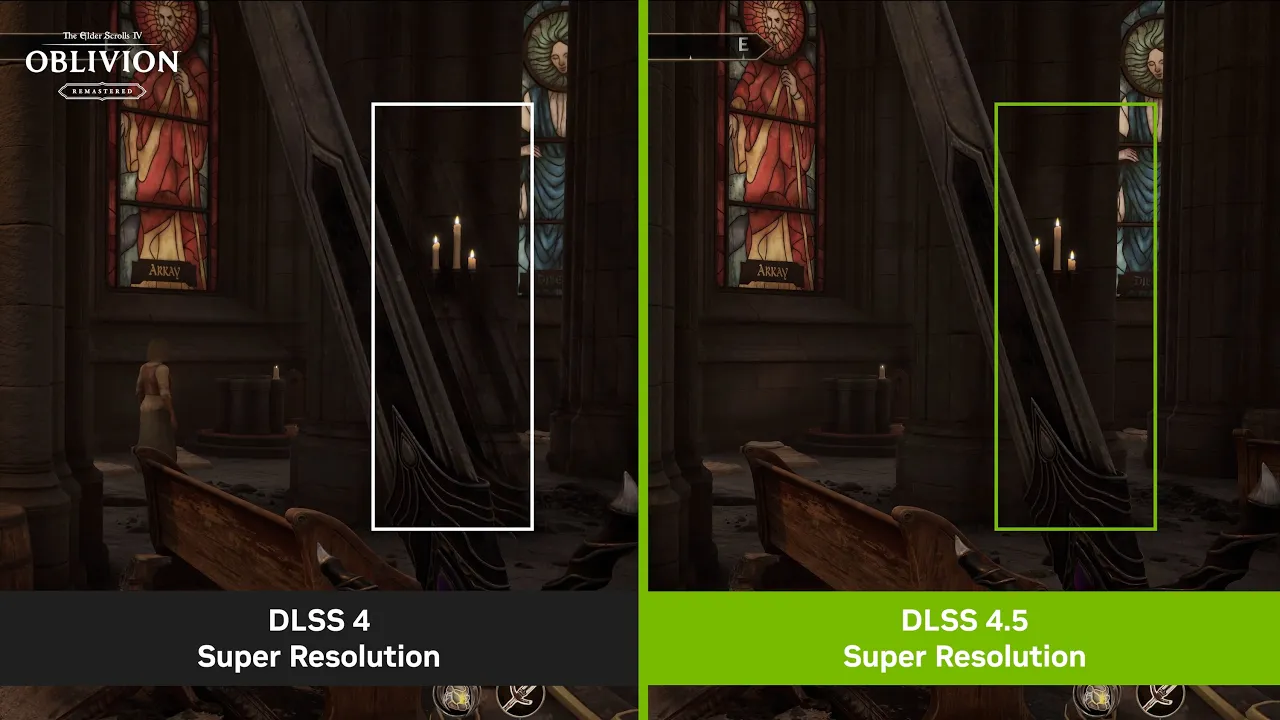
Reduced Ghosting at 4K in Performance Mode: Fast-moving objects remain clear, with fewer trailing artifacts
In this example from Indiana Jones and the Great Circle™, the original transformer model for DLSS 4 Super Resolution exhibited jaggy edges when the character walked across the screen. With DLSS 4.5 Super Resolution, edges are rendered with greater clarity and precision.
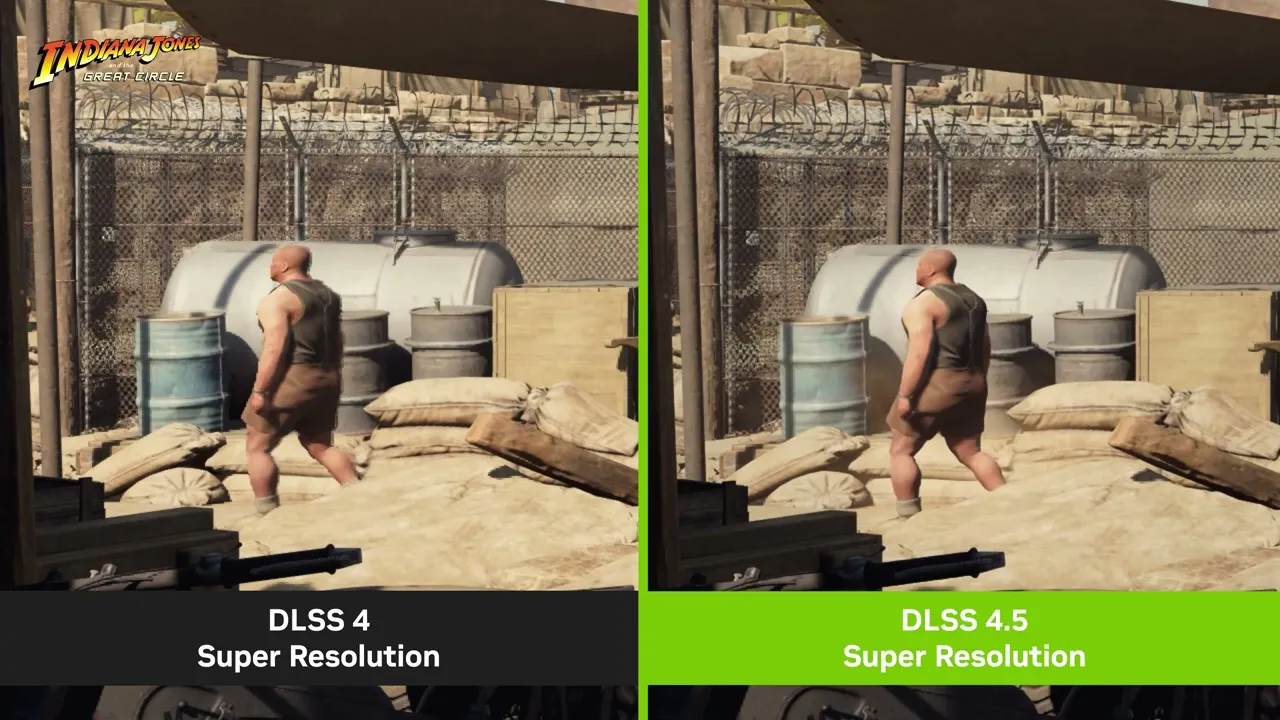
Sharper Anti-Aliasing at 4K in Performance Mode: Edges are rendered with significantly greater clarity and precision
In this example from Kingdom Come Deliverance 2, the original transformer model for DLSS 4 Super Resolution exhibited shimmering on the table. With DLSS 4.5 Super Resolution, the table remains crisp and stable in motion.
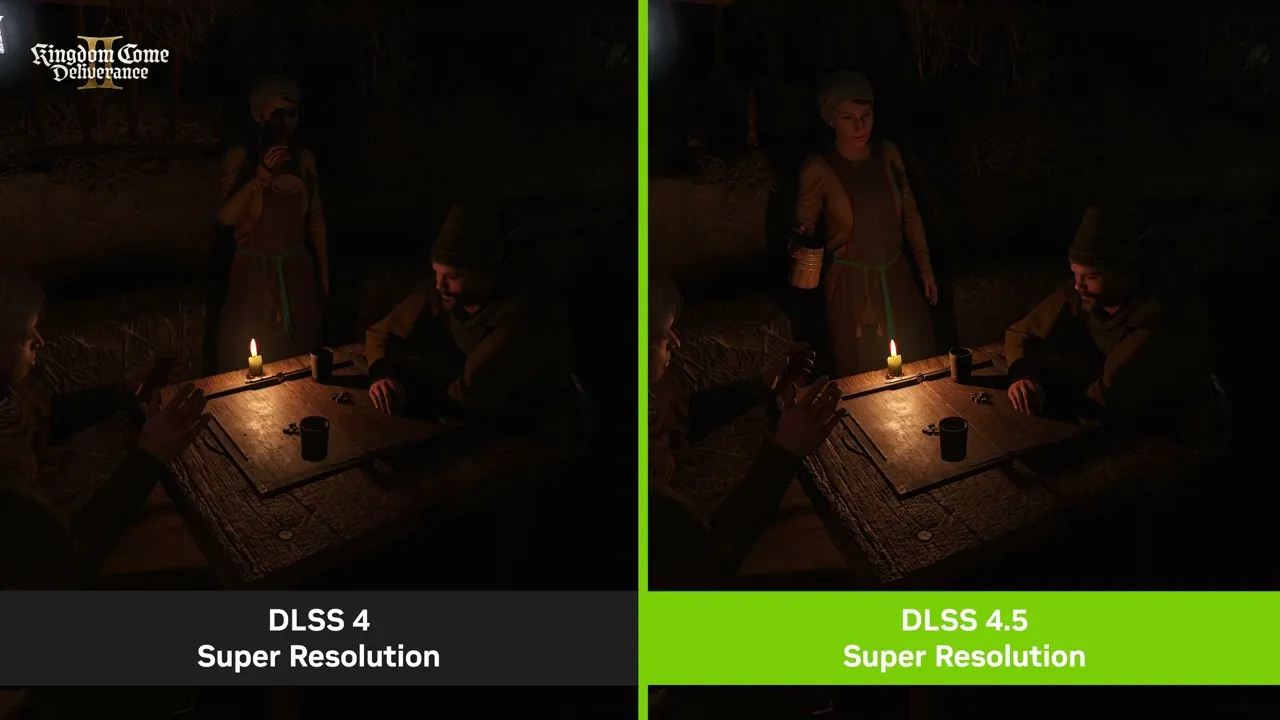
Enhanced Temporal Stability at 4K in Performance Mode: The image remains crisp and stable in motion
Simply select “DLSS Override - Model Presets” in the Graphics tab, and choose “Recommended”, which sets Preset M to DLSS Performance mode, Preset L to DLSS Ultra Performance mode, and Preset K to the remaining modes. To override this behavior, select Preset L or M in the dropdown, applying the preset to all DLSS modes.

To verify that the intended model is enabled, turn on the NVIDIA app overlay statistics view via Alt+Z > Statistics > Statistics View > DLSS
Model M is optimized for DLSS Super Resolution Performance mode, and Model L is optimized for 4K DLSS Super Resolution Ultra Performance mode. While both models are supported for both DLSS Super Resolution Quality and Balanced modes, and DLAA, users will see the best quality vs. performance benefits in Performance and Ultra Performance modes.
Please note that GeForce RTX 20 and 30 Series GPUs lack native FP8 support, so Models M and L carry a heavier performance impact for these GPUs. Those users may therefore prefer to remain on Model K (DLSS 4.0), for an optimal balance of performance and image quality. With the NVIDIA app's DLSS Overrides, you control the Model, and the balance between image quality and performance for your PC.
ARC Raiders Flashpoint Update Available Now: Enhanced With DLSS 4.5
Available now, the Flashpoint Update is the fifth free content update for the mega popular ARC Raiders since launch, and the third update from its Escalation roadmap. The Flashpoint Update brings new gameplay features, additional content and quality of life improvements, and in-game store updates.
Close Scrutiny ARC Operation, a new type of map condition, centers around the escalation of ARC operations and the introduction of a new ARC enemy, the Vaporizer. This new flying ARC enemy employs a lethal laser as its weapon of choice.
This update also introduces 2 new weapons to the Raider’s arsenal, the Energy Shotgun and the Sub-machine gun. Raiders also have a new High-Gain Antenna player project to complete for valuable rewards. ARC Shredders have escaped the confines of Stella Montis, and can be encountered in all other maps. Additionally, this update brings improvements to crafting, a Scrappy feeding boost, new quests, and new cosmetics in-store.
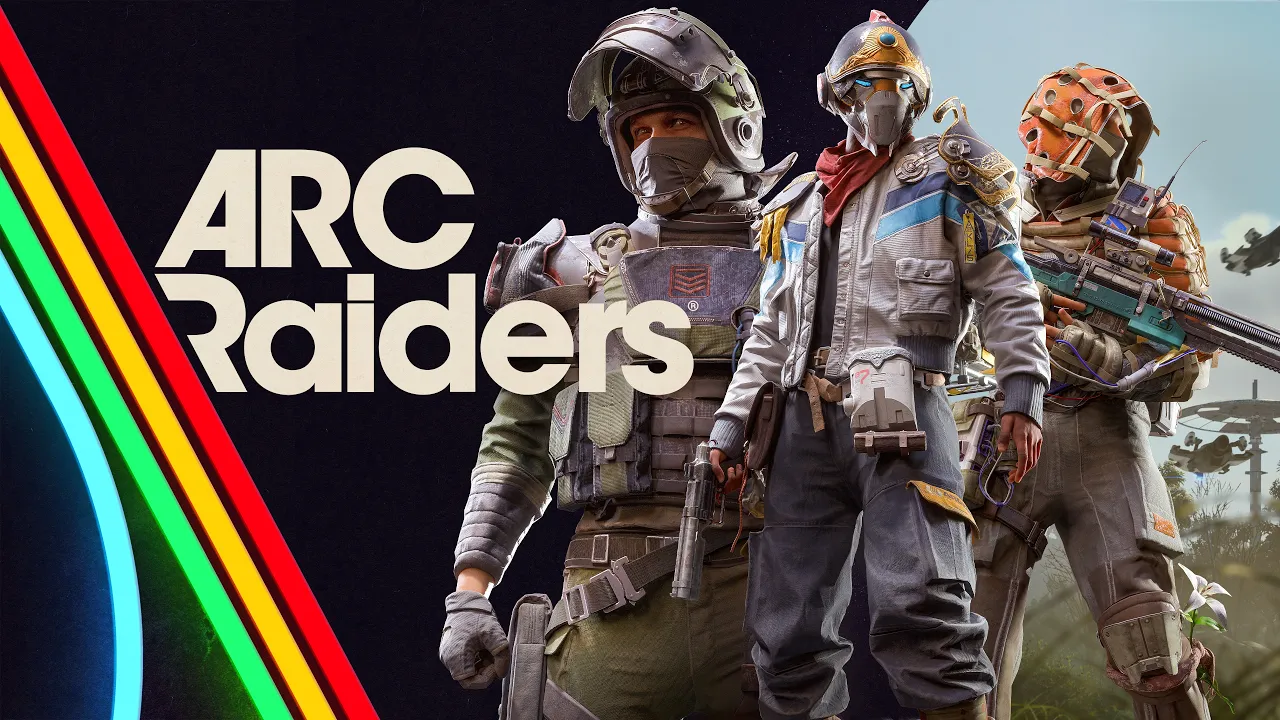
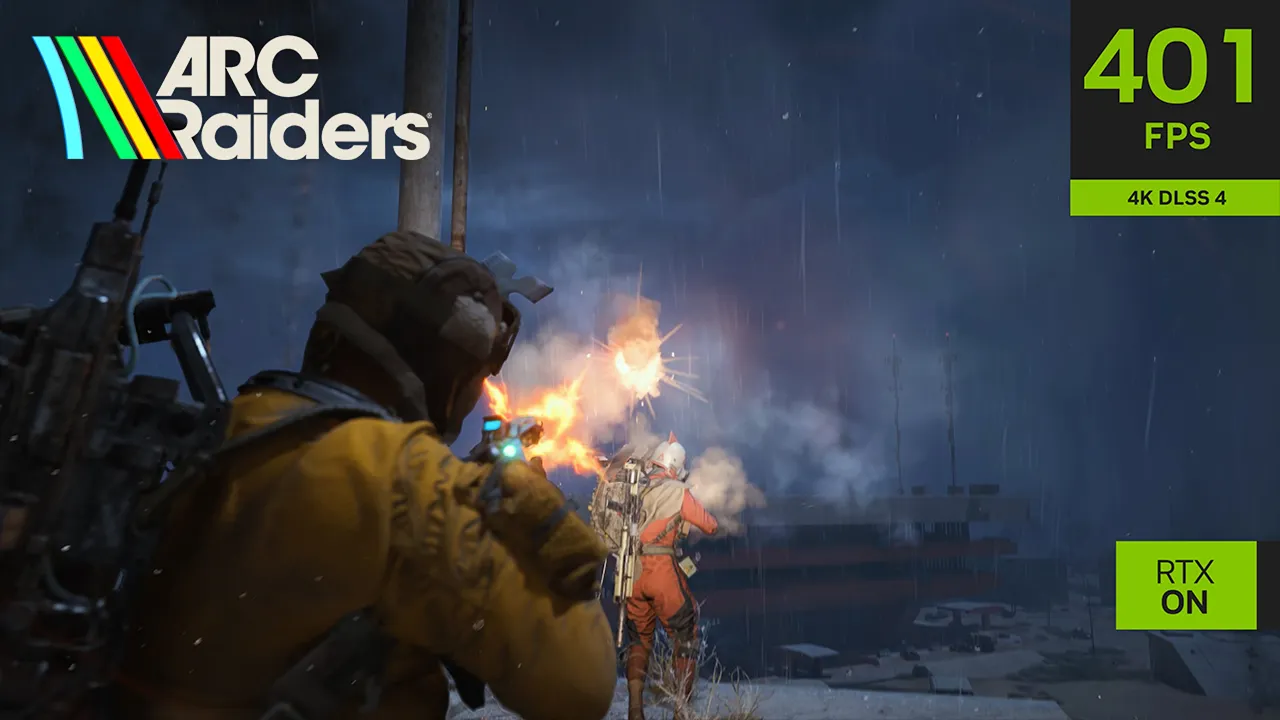
When you venture into ARC Raiders’ world to experience these new additions, you can enhance immersion, increase responsiveness and accelerate frame rates with a suite of NVIDIA technologies. DLSS 4 with Multi Frame Generation, working in concert with DLSS Super Resolution, will multiply performance. NVIDIA Reflex will reduce PC latency, allowing your actions to occur faster in-game, making gameplay feel more responsive. And NVIDIA RTXGI uses the power of ray tracing to make lighting more realistic and responsive.
For the final cherry on top, NVIDIA app users can upgrade to DLSS 4.5 Super Resolution by following the steps shown above, further enhancing their experience.
In other ARC Raiders news, PhenomDesign, a.k.a. Gregory Rousseau, has created a GIGABYTE GeForce RTX 5070 Ti showcase PC based on the game’s signature Extraction Console, the scene of many a fight, crushing defeats, and seat-of-your-pants extracts.
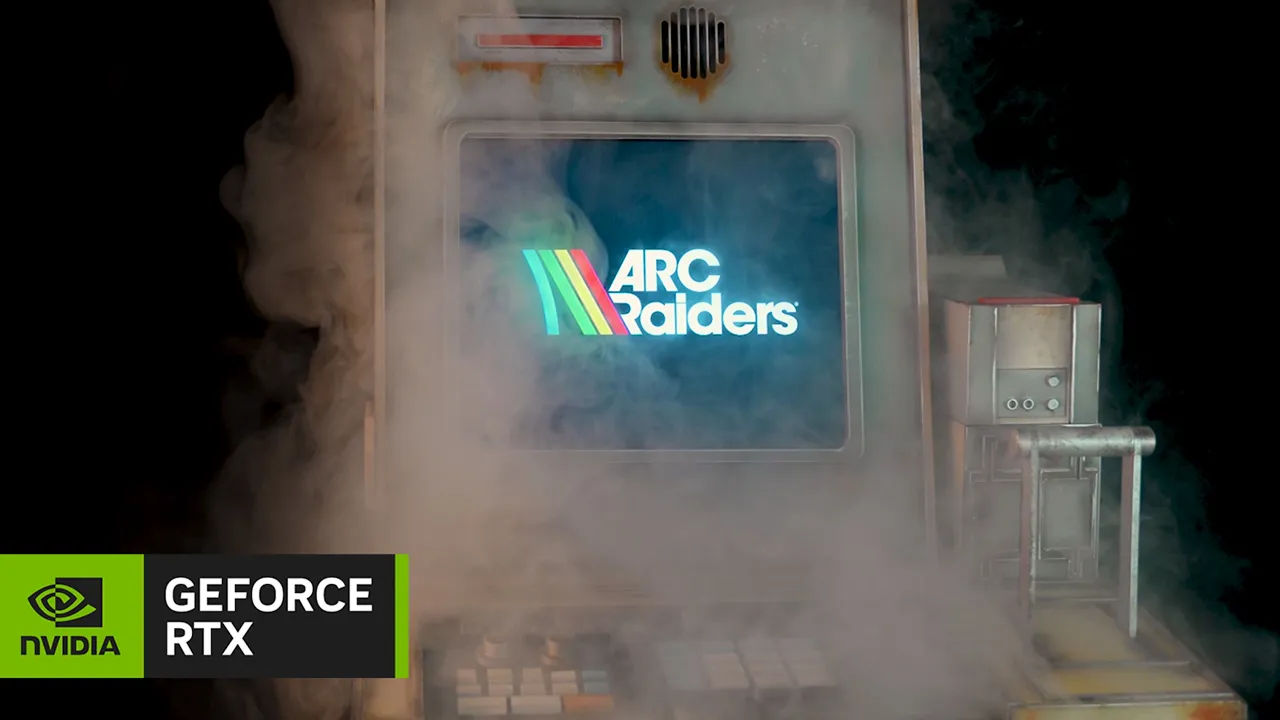
What started as a digital asset in ARC Raiders became one of Greg’s most ambitious builds ever. The Extraction Console PC isn’t just a replica, it’s a full-scale, fully functional piece of hardware, engineered to blur the line between game and reality.
From day one, the challenge for Greg was clear: recreate the console with absolute fidelity while integrating a high-performance PC inside. The scale alone pushed the limits of design and engineering. Every dimension had to be rethought, every internal space optimized. Precision wasn’t optional—it was everything.

The entire project was built from the ground up in SolidWorks, totaling nearly 300 custom-designed parts. Each component was manufactured using a combination of laser cutting and high-quality 3D printing on a Bambu Lab system. The finish was just as critical: achieving the exact in-game color required custom blending multiple tones to reach the perfect industrial look.
At the heart of the build is a fully integrated 15-inch display, seamlessly embedded into the console. To make it happen, the screen was completely disassembled and re-engineered into the structure. The animated extraction timer—designed with Canva and Adobe Premiere Pro—brings the console to life, making it feel like it was pulled directly from the game world.

Crowning the build is the signature ARGB LED light bar, faithfully recreated to match the original design. It delivers that unmistakable sci-fi glow, adding depth, atmosphere, and immersion. This project is more than a case mod. It’s a fusion of design, engineering, and passion—a real-world manifestation of a virtual experience.

Marvel Rivals Season 7 Available Now: Enhance With DLSS 4.5
Marvel Rivals Season 7: The Hunt Is On is out now for the award-winning and critically-acclaimed Super Hero Team-Based PVP Shooter that lets players assemble an ever-evolving all-star squad of Super Heroes and Super Villains battling with unique powers across a dynamic lineup of destructible maps from across the Marvel Multiverse.
White Fox joins the ever-expanding roster for Season 7 as a strategist. A new convergence map, Lower Manhattan, launches with an April 2 update. And there are a ton of new features, accessories, quality-of-life updates and new rewards, details of which can be found here.

When playing, use DLSS 4 with Multi Frame Generation to multiply frame rates by up to 5X, and enable NVIDIA Reflex to reduce PC latency by up to 55%, enhancing your experience in the popular multiplayer game.
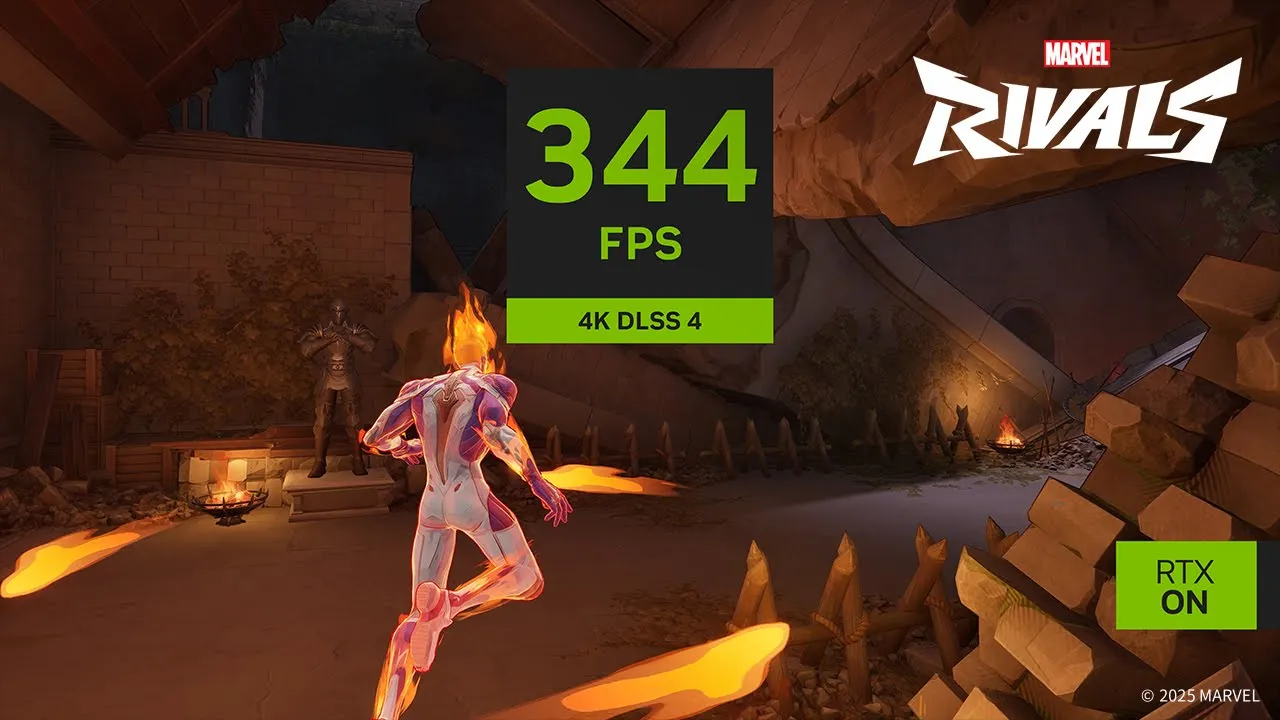
And via the NVIDIA app, you can activate DLSS 4.5 Super Resolution by following the steps shown above, further enhancing your experience with improved image quality.
Head Back Soon For Even More RTX Games
There are even more DLSS integrations arriving soon for a whole host of games. Return regularly for a rundown of the next DLSS and RTX titles, and head here to see the full list of RTX-enhanced games and apps, along with a list of all games and apps with verified support for NVIDIA app’s DLSS overrides.