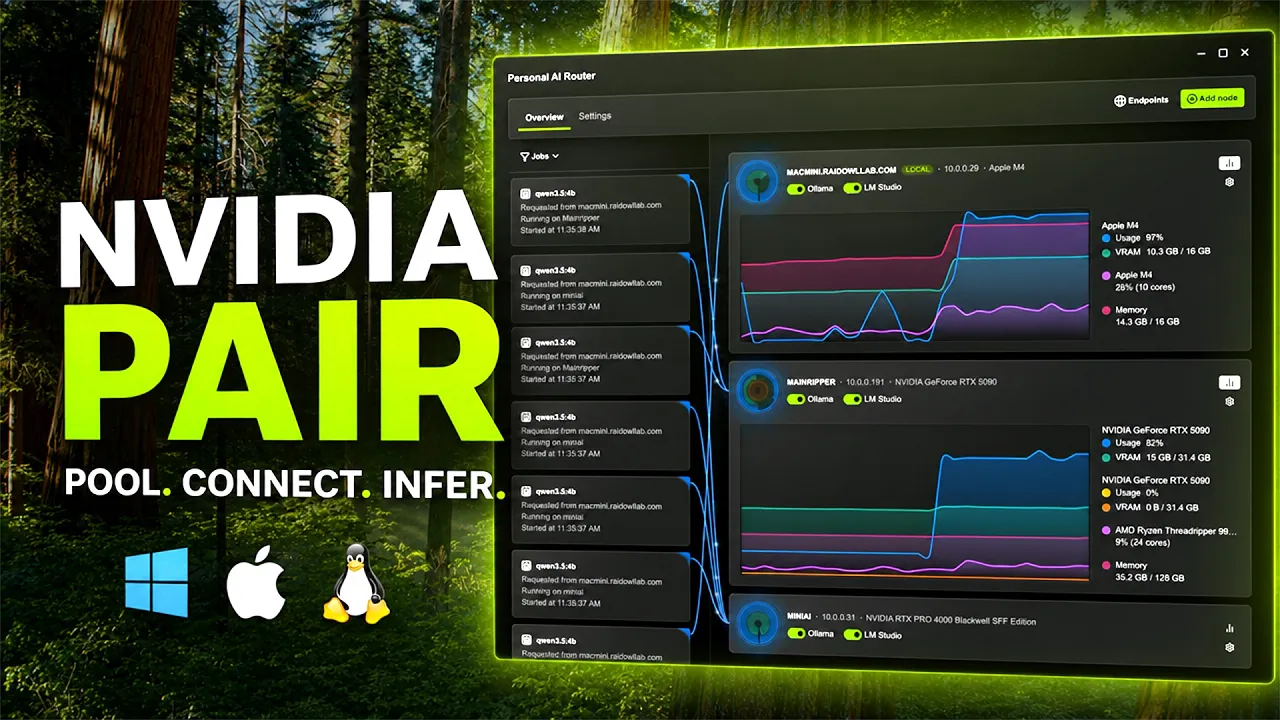
NVIDIA Personal AI Router (PAIR)
NVIDIA PAIR lets your AI apps and agents run across all your local devices, from NVIDIA DGX Spark™ and NVIDIA RTX Spark™ to Windows and Linux systems with RTX, and macOS computers. Get the most from your hardware while keeping prompts, files, and agent context private.
See How NVIDIA PAIR Works

Features
What Can NVIDIA PAIR Do?

Personal AI Cluster Power Up the House
Bring together the RTX, DGX, and Mac systems already on your network in minutes. NVIDIA PAIR discovers compatible local machines and helps them work as one personal AI inference cluster with no special cables, racks, or complex cluster setup required.

Agent Workload Routing More Room to Think
Keep local AI workflows moving when tasks stack up. NVIDIA PAIR routes AI inference requests across available local nodes, helping busy AI workflows tap into idle compute regardless of the node’s operating system.

Ollama, llama.cpp, and LM Studio Support Use the Tools You Know
Run NVIDIA PAIR alongside familiar local inference backends on Windows, Linux, and macOS. At launch, NVIDIA PAIR supports Ollama, llama.cpp, and LM Studio, giving apps a consistent, single endpoint while intelligently proxying requests to available local compute.

Private Local Inference Keep It Close to Home
Run AI workflows at home with data that stays on your network. NVIDIA PAIR is built for private local inference, helping you use prompts, files, and agent context without sending them to the cloud.
How to Get Started With NVIDIA PAIR
NVIDIA PAIR works without special cables or racks. And setting up is easy.


Download NVIDIA PAIR
Information
Platform
Windows 11, DGX OS, Ubuntu 24.04, macOS Tahoe
Language
English
Validated Configurations
GPU
All GeForce RTX™ GPUs (20 Series and newer), DGX Spark/GB10, RTX Spark, Mac M1 or newer
RAM
4 GB RAM or higher
Disc Space
Recommended: 500 MB, not including models
Internet
No internet required for operation
Required for model download
Thank You To Our Contributors
A special thank you to the following community members for sharing ideas, submitting proposals and fixes, investigating issues, and testing PAIR:
| @XxSilentStormIxX | @woodsonl |
| @agenticocho | @stevbev |
| @Mayimbe07 | @habakan |
| @cruzanstx | @arcaven |
| @pettersandvand | @somtri |
| @cguldogan | @imluffy000 |
| @mkalkere | @ndizazzo |
| @CryptoJones |
NVIDIA PAIR Release Highlights
This release focuses on bringing llama.cpp and RTX Spark support to PAIR, while establishing our public development and contribution workflow on GitHub.
What’s New
- llama.cpp support. Install and manage llama.cpp directly from PAIR, download compatible GGUF models from Hugging Face, and route inference requests across paired devices.
- Engine Launch Options. Customize launch arguments and environment variables for PAIR-managed engines on local and paired devices. Tune settings such as context size were supported by the engine.
- RTX Spark support. PAIR’s Windows on ARM build has been validated with llama.cpp and CUDA on RTX Spark N1X hardware.
Community Contributions
- Added Anthropic Messages API routing through Ollama and LM Studio, enabling compatible clients such as Claude Code to use PAIR’s model-aware routing and failover. Thanks @Ratherrayees! (#27)
- Improved engine monitoring efficiency by reusing HTTP connections for health checks. Thanks @Psych0h3ad! (#37)
- Fixed unnecessary cluster trust refreshes by sending notifications only after new peer endorsements are successfully saved. Thanks @RecursiveIntell! (#62)
- Fixed workload synchronization between nodes: broadcasts preserve event order, and failed broker notifications remain eligible for retry. Thanks @mkalkere! (#80)
- Fixed scheduler priority updates being marked as delivered after a failed notification, allowing retries and keeping status accurate. Thanks @sylvesterkaczmarek! (#122)
- Isolated service integration and proxy failover tests from local PAIR settings, preventing tests from reading or overwriting developer configuration. Thanks @somtri! (#95)
- Corrected release-intent examples to use the required services version key. Thanks @somtri! (#120)
- Updated contributor instructions to branch and rebase against develop. Thanks @somtri! (#126)
- Fixed node cards showing only the first GPU on multi-GPU systems; they now display every GPU. Thanks @CryptoJones! (#34)
Compatibility Note
- PAIR’s local endpoints now follow each engine’s CORS policy instead of allowing every browser origin. Browser-based clients may need additional engine configuration. For Ollama, configure allowed origins using OLLAMA_ORIGINS in Engine Launch Options.
- PAIR’s official name has changed from “Personal AI Router” to PAIR. On macOS systems, users will need to uninstall their old versions, but should drag and drop into the applications folder to not lose models.
- Versions of LM Studio installed by older versions of PAIR will not be uninstalled when uninstalling a newer version of PAIR. Users will need to manually uninstall LM Studio if they would like to do so from the ~/.lmstudio directory.
PAIR Support Resources


Frequently Asked Questions About PAIR
NVIDIA Personal AI Router (PAIR) is software that connects compatible macOS, Windows, and Linux systems with NVIDIA RTX™GPUs and DGX Spark systems into a personal home AI cluster. PAIR distributes local AI inference workloads across available devices while keeping prompts, files, and agent context on the user’s home network.
A personal home AI cluster connects multiple compatible devices on the same local network, allowing them to share available computing resources for local AI inference. PAIR enables Macs, NVIDIA RTX systems, and DGX Spark systems to provide more capacity for local AI applications and agents. The devices remain separate systems that handle parallel tasks; PAIR doesn’t combine them into one virtual GPU.
Download PAIR, install it on supported systems, pair the devices on the same local network, and add them to the cluster. Once connected, supported applications and agents can send inference requests through the PAIR local endpoint.
NVIDIA PAIR requires compatible macOS, Windows, or Linux systems and supported hardware. Requirements may include specific operating system versions, NVIDIA RTX GPUs, GPU memory, system memory, processors, storage, and local network connectivity. See the System Requirements section on the NVIDIA PAIR landing page for current details.
PAIR is designed for private local inference. Prompts, files, and agent context remain on the user’s local network instead of being sent to a cloud inference service.