Beta
Omniverse Audio2Face
Instantly create expressive facial animation from just an audio source using generative AI.
Instantly create expressive facial animation from just an audio source using generative AI.
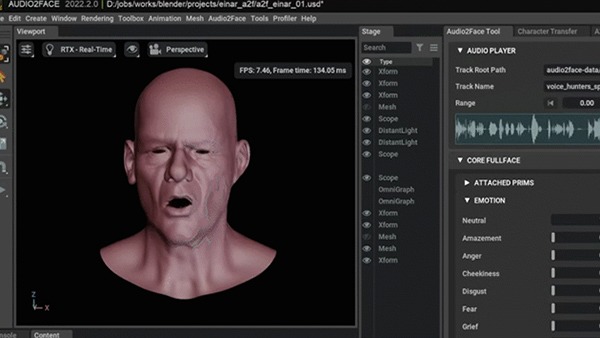
NVIDIA Omniverse™ Audio2Face beta is a foundation application for animating 3D characters facial characteristics to match any voice-over track, whether for a game, film, real-time digital assistant, or just for fun. You can use the Universal Scene Description (OpenUSD)-based app for interactive real-time applications or as a traditional facial animation authoring tool. Run the results live or bake them out, it’s up to you.
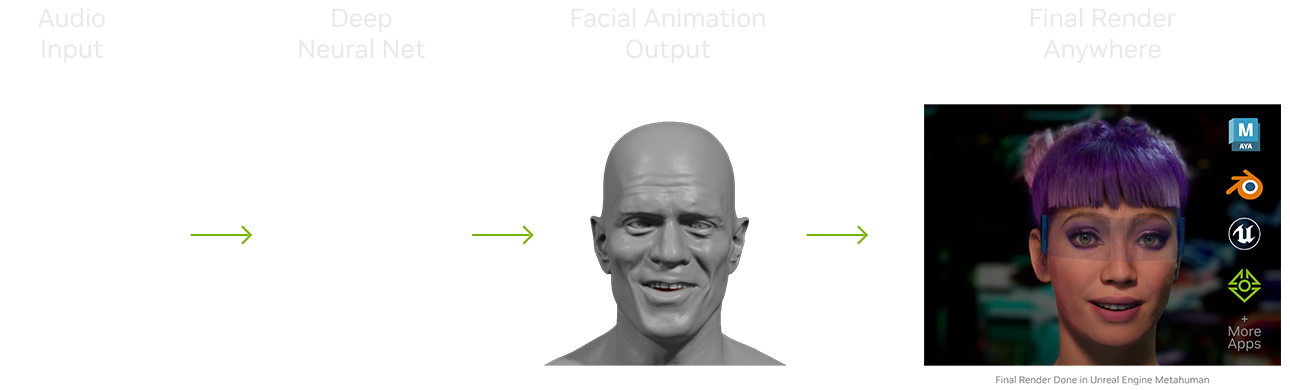
Audio2Face is preloaded with “Digital Mark”— a 3D character model that can be animated with your audio track, so getting started is simple—just select your audio and upload. The audio input is then fed into a pre-trained Deep Neural Network and the output drives the 3D vertices of your character mesh to create the facial animation in real-time. You also have the option to edit various post-processing parameters to edit the performance of your character. The results you see on this page are mostly raw outputs from Audio2Face with little to no post-processing parameters edited.
Simply record a voice audio track, input into the app, and see your 3D face come alive. You can even generate facial animations live using a microphone.
Audio2Face will be able to process any language easily. And we’re continually updating with more and more languages.
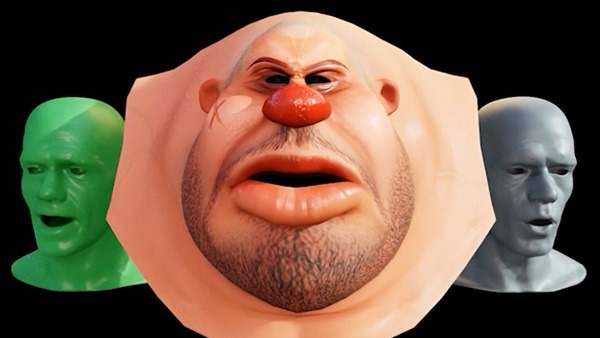
Audio2Face lets you retarget to any 3D human or human-esque face, whether realistic or stylized. This makes swapping characters on the fly—whether human or animal—take just a few clicks.
It’s easy to run multiple instances of Audio2Face with as many characters in a scene as you like - all animated from the same, or different audio tracks. Breathe life and sound into dialogue between a duo, a sing-off between a trio, an in-sync quartet, and beyond. Plus, you can dial up or down the level of facial expression on each face and batch output multiple animation files from multiple audio sources.
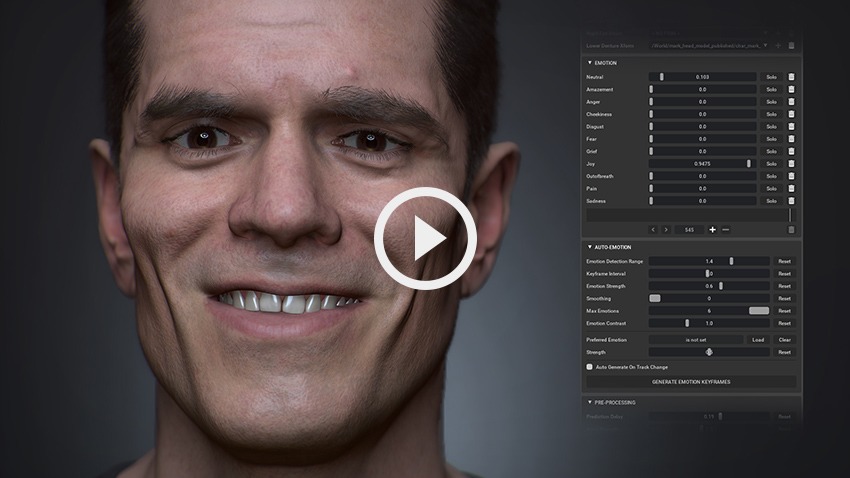
Audio2Face gives you the ability to choose and animate your character’s emotions in the wink of an eye. The AI network automatically manipulates the face, eyes, mouth, tongue, and head motion to match your selected emotional range and customized level of intensity, or, automatically infers emotion directly from the audio clip.
Asset Credit: Blender Studio
The latest update to Omniverse Audio2Face now enables blendshape conversion and also blendweight export options. Plus, the app now supports export-import with Blendshapes for Blender and Epic Games Unreal Engine to generate motion for characters using their respective Omniverse Connectors.

An integrated development environment for developers and power users to easily build Omniverse extensions, apps, or microservices.

Remix, recreate, and redefine animated video game storytelling with an AI-powered toolkit for creators.

Accelerate advanced world-building with Pixar USD and interactively assemble, simulate, and render scenes in real time.

Collaboratively review design projects with this powerful, physically accurate, and photorealistic visualization tool.
Connect with Omniverse experts live to get your questions answered.
Learn at your own pace with free getting started material.
Find the right license to fit your 3D workflows and start exploring Omniverse right away.
Omniverse foundation applications are best practice example implementations and configurations of Omniverse extensions. They are provided as a generic template on which developers and customers can customize, extend, and personalize according to their workflow.
Foundation applications can be used out-of-the-box, but, to maximize the true value of the Omniverse platform, customization and extension is highly encouraged. Every developer, customer, user will have their own interpretation of Omniverse foundation applications.
Omniverse foundation applications can be explored here.
To install Omniverse Audio2Face, follow the steps below:
Explore system requirements within Omniverse Audio2Face documentation.