Indiana Jones and the Great Circle: The Order of Giants GeForce Game Ready Driver Released
By Andrew Burnes on August 28, 2025
|
Our new GeForce Game Ready Driver optimizes your experience in Indiana Jones and the Great Circle: The Order of Giants, and Wuthering Waves.
Download and install from the Drivers tab of NVIDIA app or GeForce.com, and read on to learn more.
Game Ready For Indiana Jones and the Great Circle: The Order of Giants DLC
The critically acclaimed adventures of Indiana Jones™ in Indiana Jones and the Great Circle™ can be experienced on GeForce RTX PCs at their very best thanks to DLSS 4 with Multi Frame Generation and immersive path tracing.
On September 4th, Indy returns to Rome for a new adventure in the Indiana Jones and the Great Circle: The Order of Giants DLC. When Indy encounters Father Ricci, a young priest desperate for help to track down a Roman artifact, a standard treasure hunt soon turns into a perilous journey. Along the way Indy must face the sinister plots of Emperor Nero and his gladiator games, the enigmatic Cult of Mithras, and whatever else lurks in the shadows. Can Father Ricci's cryptic knowledge guide Indy through these treacherous passageways? Only Indiana Jones can piece together this breathtaking mystery in an adventure that takes him through the bustling city of Rome, to the crumbling ruins of the Colosseum, and the pristine Vatican Gardens.
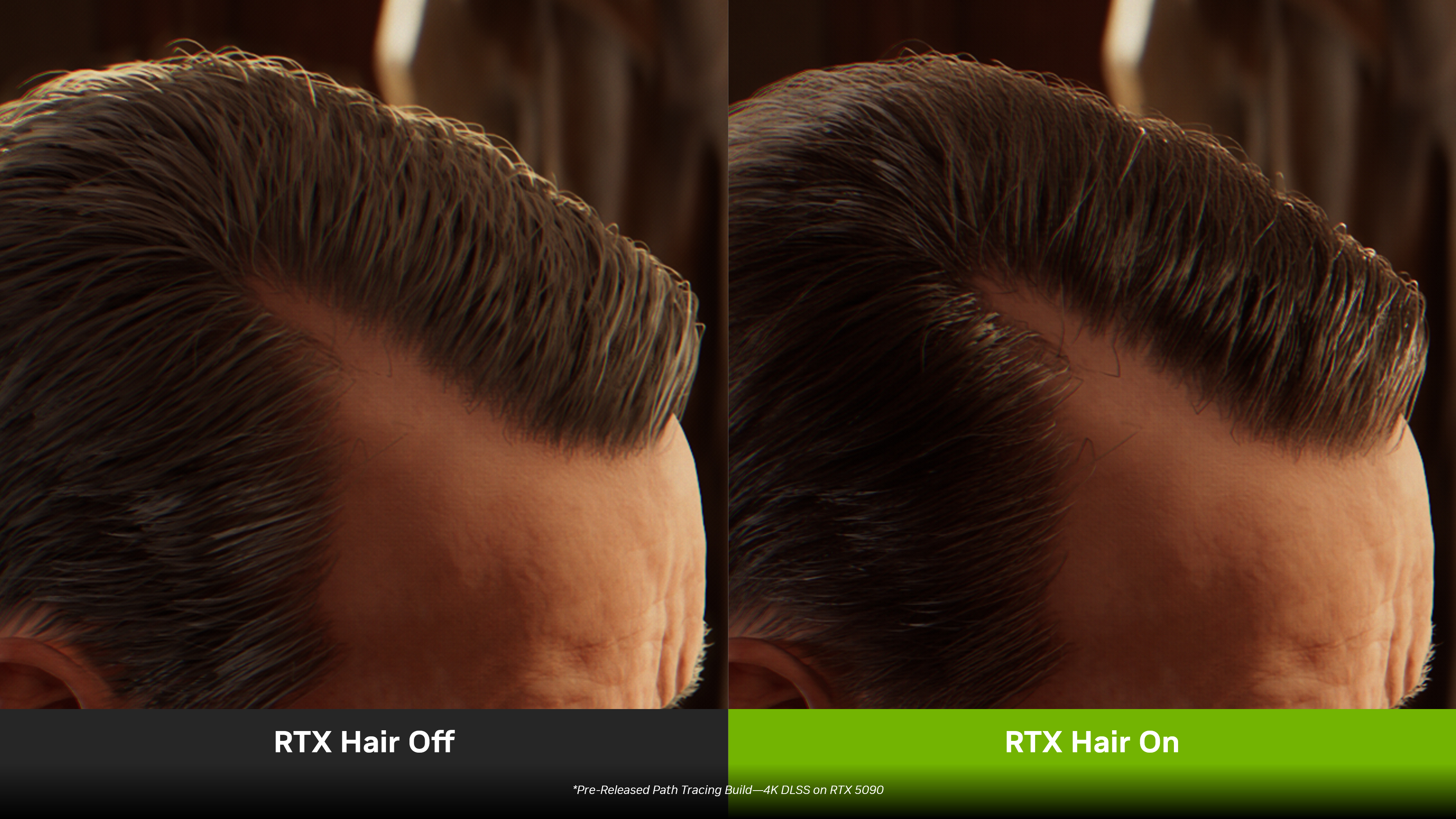
Indiana Jones and the Great Circle: The Order of Giants will be accompanied by a game update that adds NVIDIA RTX Hair to key characters throughout the DLC and main game.
Game Ready For Wuthering Waves’ DLSS 4 With Multi Frame Generation Update
Desolated by the Lament, civilization is born anew in KURO GAMES’ open world title, Wuthering Waves. As the world of Solaris-3 unfolds, your lost memory begins to see its recovery through a ceaseless quest in the game’s expansive world. Engage in fast-paced combat, enlist companions to aid your journey, and discover the secrets that await in this popular free-to-play title.
Since launch, Wuthering Waves has continually expanded its suite of RTX tech, which now sees it boast support for DLSS Frame Generation, DLSS Super Resolution, NVIDIA Reflex, and ray-traced reflections.
Today, a new update adds support for DLSS 4 with Multi Frame Generation, enabling GeForce RTX 50 Series owners to play with even faster frame rates.
See how this tech upgrade accelerates performance in Wuthering Waves by heading on over to our latest DLSS article.
New NVIDIA App DLSS Overrides Now Available
NVIDIA app is the essential companion for users with NVIDIA GPUs in their PCs and laptops. Whether you're a gaming enthusiast or a content creator, NVIDIA app simplifies the process of keeping your PC updated with the latest GeForce Game Ready and NVIDIA Studio Drivers, and enables quick discovery and installation of NVIDIA applications like GeForce NOW and NVIDIA Broadcast.
NVIDIA app also includes tons of game and experience-enhancing features. One of the most recent additions is the ability to upgrade games and apps with support for DLSS 4 with Multi Frame Generation, and improved DLSS AI models in the Graphics > Program Settings screen, under “Driver Settings” for each supported title:
- DLSS Multi Frame Generation Override - Enables DLSS Multi Frame Generation for GeForce RTX 50 Series users when Frame Generation is ON in-game
- DLSS Frame Generation Model Upgrade - Enables the latest DLSS Frame Generation model for GeForce RTX 40 Series and GeForce RTX 50 Series users, when Frame Generation is ON in-game, which uses less video memory and can increase frame rates
- DLSS Transformer Model Upgrade - Enables the latest transformer AI model for DLSS Super Resolution, Ray Reconstruction, and DLAA for all GeForce RTX users, when the aforementioned features are ON in-game
- DLAA & Ultra Performance Modes - Sets the internal rendering resolution for DLSS Super Resolution, enabling DLAA or Ultra Performance mode in games lacking native support, when Super Resolution is ON in-game. Or alternatively, set a custom input resolution value to fine tune performance and image quality.
In the time since our previous GeForce Game Ready Driver, we’ve added and updated DLSS overrides for 13 games:
- Casa Caballero
- Chained Backrooms
- Clair Obscur: Expedition 33
- Dead Take
- EVE Online
- Flipscapes
- Grand Theft Auto V Enhanced
- Lost Soul Aside
- Luto
- Return to Campus
- Simulakros
- Supraworld
- Titan Quest II
For a full list of games and apps with DLSS overrides, and a breakdown of which overrides are available in each title, head here.
GeForce Game Ready Driver - Download Now
Learn more about GeForce Game Ready Drivers here, and download the new GeForce Game Ready 581.15 WHQL driver through the NVIDIA app, or from GeForce.com.
If you experience any technical issues with the new Game Ready drivers please post a detailed report on the GeForce.com Driver Feedback Forum, where our Customer Care team can best assist you. And if you’re looking for a full list of fixes in this driver, for previously-reported issues, head here.